Refreshing a list of incoming connections with defined multi-value paramters
已回覆Hello
We have a report with a number of incoming connections (35+), all needing the same 2 parameters updating - one is the same on all (date), however the other parameter is different for each incoming connection and is multi-select.
I am trying to set up a chain to pull a list of columns from a spreadsheet containing connection IDs in a column, along with all parameter inputs for each connection as columns. In cases of parameters needing to select multiple values, they are delimited with commas.
What is the best way to set up a chain to pull this list from the spreadsheet and iterate through each connection and its associated parameters? Example of the command sheet containing the connections and parameters:
| connectionID | period | wcClassification |
| abc123 | 2024-06-30 | Advances Paid, Advances Received, Inventory |
| def456 | 2024-06-30 | Advances Paid |
Any assistance is appreciated.
-

Hi Shilen Patel,
For regular parameters, you can retrieve the values from your Spreadsheet to refresh the connection. The Connected Learning Paths (CLP) Refresh Connection using ID and Refresh Connections with a Parameter demonstrates how to refresh a connection from a Chain. You can combine this together with the CLP Refresh List of Connections to learn how to refresh more than one connection.
To refresh connections that have dynamically generated Multi-Value Parameter values, use the HTTP Request Connector and the Wdata Connection Management Refresh Connection API endpoint.
Together, these methods will allow you to manage your connections and their parameter values in a Control Sheet and refresh them via a Chain.
0
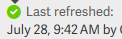
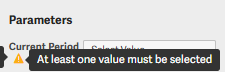
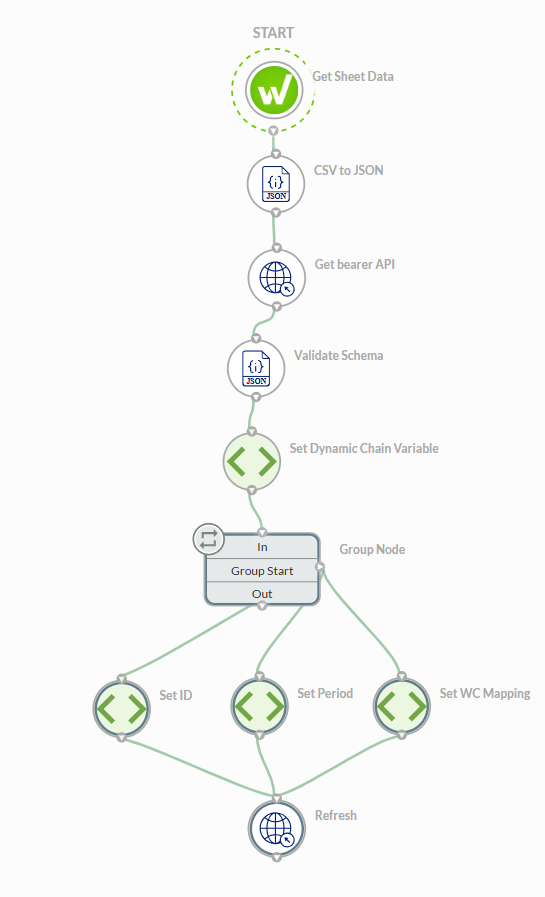
Thanks, Jeff. I managed to get it set up to connect to the connections and refresh however it doesn't select any of the parameter values from the Control Sheet, so the refresh brings back an empty data set. The connection shows as successfully refreshed, but the parameter shows a warning triangle with comment "at lease one value must be selected". Any ideas here?
 0
0
Here are some troubleshooting steps:
- Verify that the connection refreshes successfully manually
- Verify that the Workiva Username associated to the API grant has at least edit access to the Sheet and at least Viewer access to the Query and all data sources the Query uses
- Verify the Dynamic Chain Variable nodes have the correct parameter values and are correctly passed into the Refresh node
- Verify the HTTP Request node "Refresh" is a POST node and is configured correctly to the specifications documented in Refresh Connection
0請登入寫評論。
評論
3 條評論