Requiring option to select and download Multiple files all together in the Workiva in a single go button
Udzielono odpowiedziDear Team ,
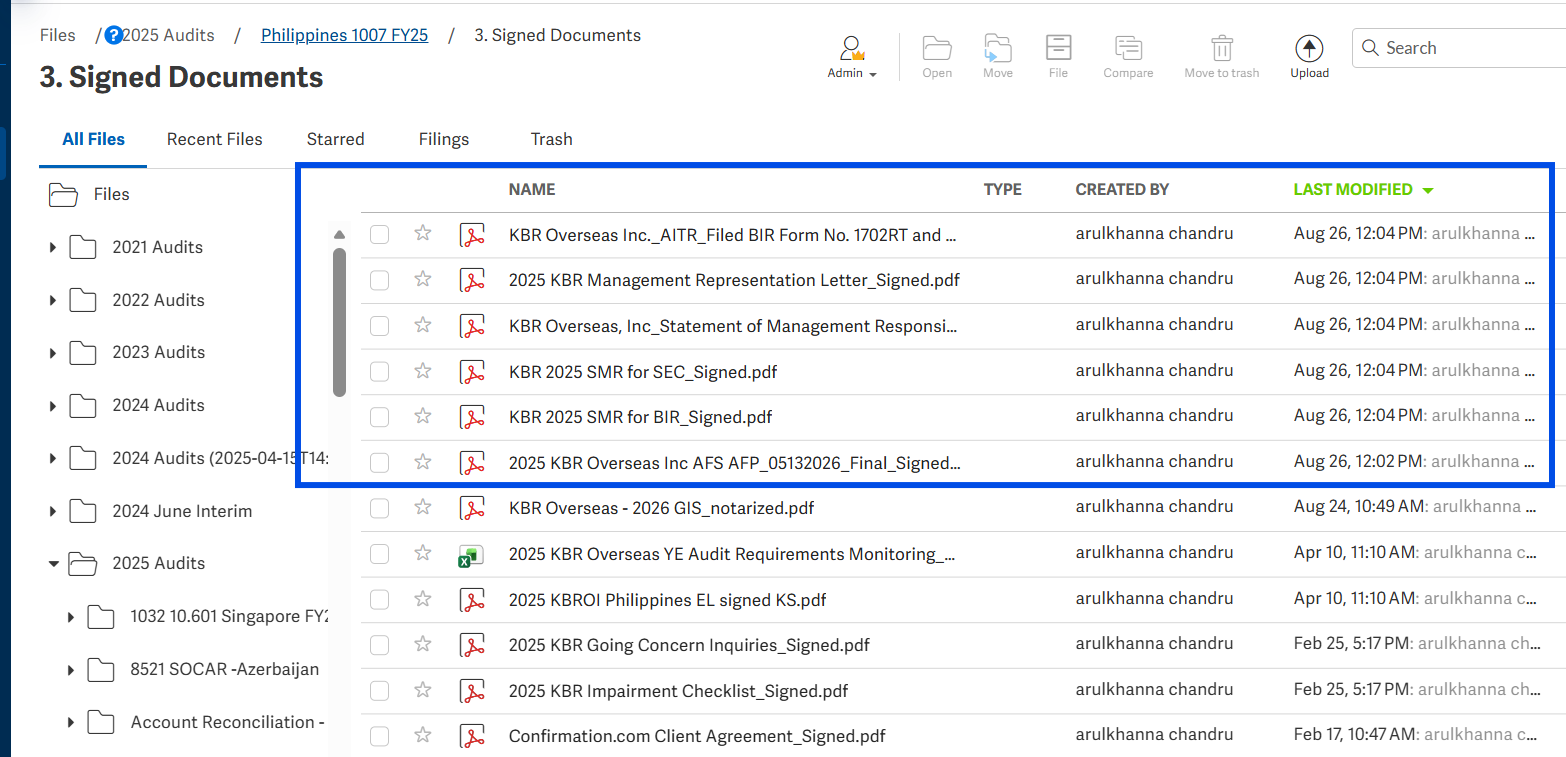
When we are accessing the Workiva folder path, if there are more than 100 files stored in the Workiva path, we are requiring the option to download all files in one go instead of clicking each file separately and downloading it one by one as it is a time consuming process. Kindly consider adding the functionality to customise, select and download multiple Excel/pdf files stored in the Workiva folder path in a single go button. Attaching the screen shot for your kind reference.
Thanks and regards,
Arul Khanna
-

Hi arulkhanna chandru and welcome to the Community!
I've added you to an existing feature request for this functionality! In the meantime, there are a few available workarounds:1. Create a PDF of multiple files
- From the Files view, select the checkboxes next to multiple files
- You can combine them into a single PDF (tested up to 147 files and still worked)
- Go to Files → select files via checkbox → Create PDF
- Article: Create a PDF of files2. Workiva Chains (API-based mass download)
- Using HTTP Request connector with the Initiate a document export Workiva API endpoint, you can script a mass download
- Use the Retrieve a list of documents endpoint — no need to know all file IDs upfront
- Files can then be sent to OneDrive or Google Drive via your connectors3. Export a parent folder as a Workiva file
- You can export at the parent folder level (not the root "Files" level), which bundles content — though this exports in.tar.gzformat (Workiva-native, not directly openable as Excel/PDF externally)0Zaloguj się, aby dodać komentarz.
Komentarze
Komentarze: 1