Off-Print Area Objects Show in PDF Export
BeantwoordFor presentations, we have a template in which we have off-print area objects / grids. These grids are excess, but may be used in certain presentations / sometimes are used as instructional pieces for report preparers. When we export the reports to PDF and attempt to 'Edit PDF' in Adobe, the off print objects become editable in the PDF. Is there any way to only export the print area of Workiva reports?
-

Hi Joe Rufolo,
You can apply print areas to spreadsheets but not presentations.
For a presentation, I'd recommend that any objects that you don't want included in the PDF save out just be outside the slide area (in the gray)!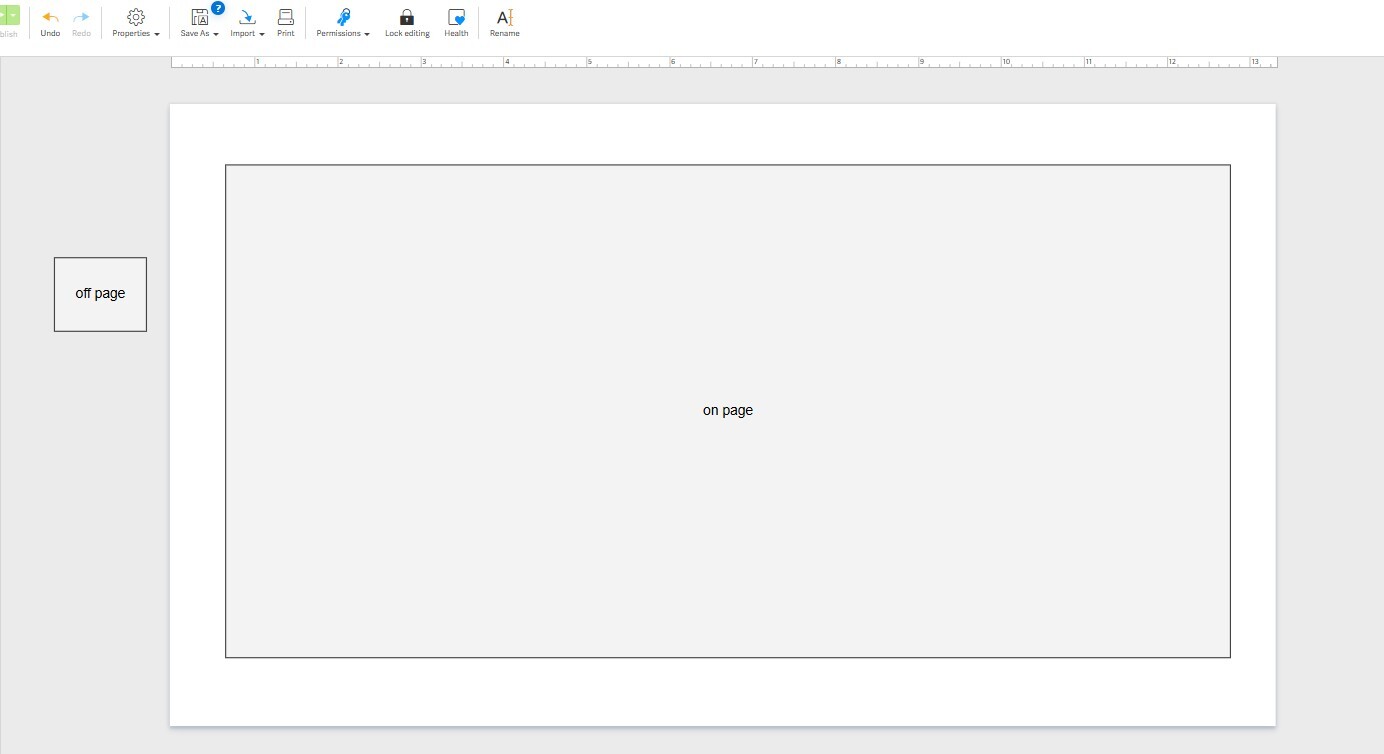 0
0
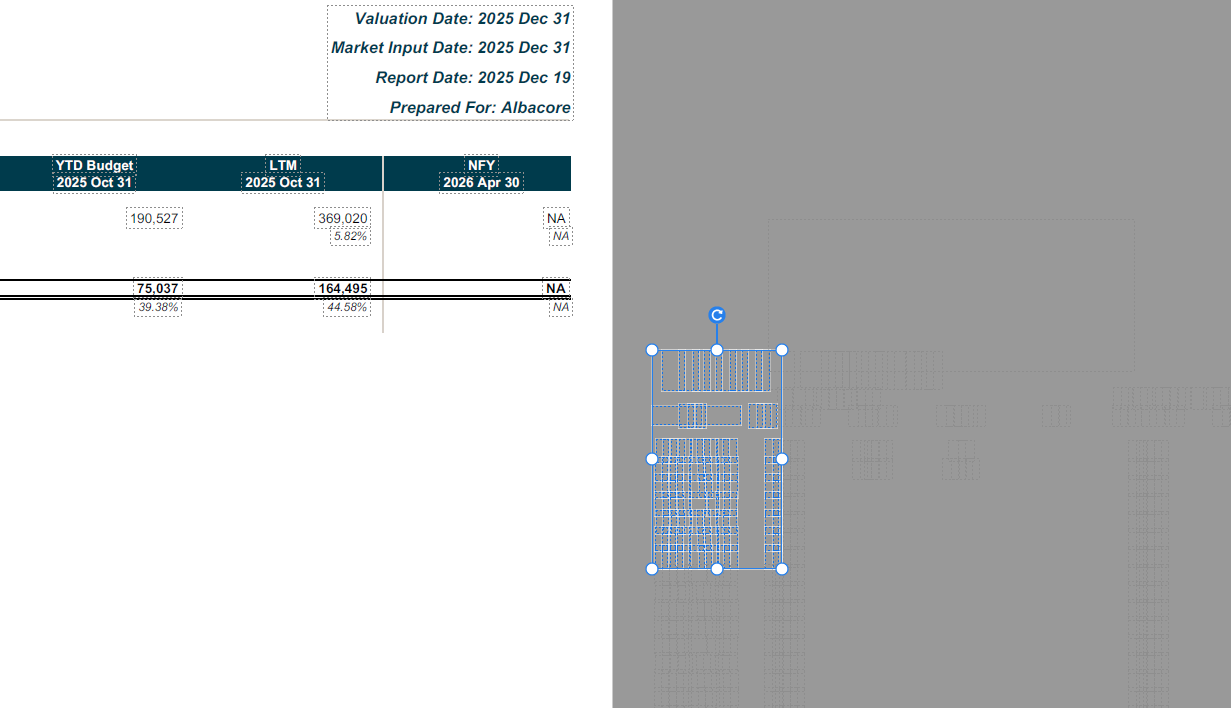
This is already what we are doing, the problem is that off print area objects are then editable in the PDF editor. We save many objects off print area for report flexibility. It would add far too much time to delete these for each report before printing to PDF, as we have hundreds of reports being produced each quarter. The problem here is that if these objects are dragged onto the print area in Adobe, then are then visible in the presentation.
 0
0
Hi Joe Rufolo,
Thanks for clarifying, I can certainly raise this to our product team !
0
We are experiencing a similar issue and believe it should be treated as a high priority, as it is impacting our users’ time. Please keep us updated on any progress
0
Opmerkingen
5 opmerkingen