Array to CSV issue
Hello,
We are trying to run the "Array to csv" connector for a JSON response as below. It runs successfully but its output has no values.
{"pov":[],"columns":[["Q1","Q2","Q3","Q4"]],"rows":[{"headers":["FCCS_Net Income","BU_XXXXX","FY25","AN2222","Actual","Final","Total Project","Total Product","YTD","Consolidation","Total Data Source","Total Function","Color","Intercompany","Total Geography","Movement"],"data":["255555","22222","55555","68942"]}
here is the output result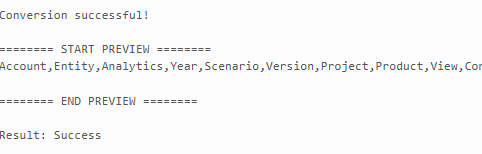
Please advise the recommended process for converting a JSON response to CSV that outputs the value for each column.
here is a JSON connector we used to test it.
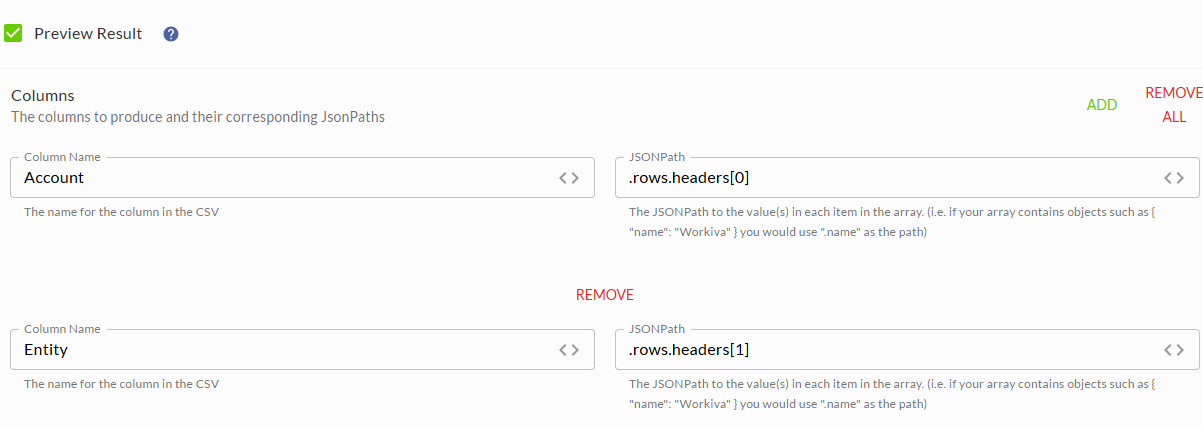
-

Hi Rajesh Shrestha - Thanks for contacting us regarding your issue! To determine the issue, we recommend reaching out to your CSM so they can grab some more information & assist.
Have a great day!
0
Hi Rajesh Shrestha,
I recommend using the Handlebars Connector to build your output from the JSON. If you haven't used Handlebars before, we have quite a few resources below to help.
- Get Started with Handlebars in Chains
- CLP - Handlebars Transformation
- Understanding Handlebars
- Handlebars functions
Using the following sample JSON:
{
  "pov": [],
  "columns": [
    [
      "Q1",
      "Q2",
      "Q3",
      "Q4"
    ]
  ],
  "rows": [
    {
      "headers": [
        "FCCS_Net Income",
        "BU_XXXXX",
        "FY25",
        "AN2222",
        "Actual",
        "Final",
        "Total Project",
        "Total Product",
        "YTD",
        "Consolidation",
        "Total Data Source",
        "Total Function",
        "Color",
        "Intercompany",
        "Total Geography",
        "Movement"
      ],
      "data": [
        "255555",
        "22222",
        "55555",
        "68942"
      ]
    }
  ]
}
You can make use of the Render Text Template command with the following example template to output a comma separated result.
"headers","data"
{{#each json.rows}}
"{{#each headers}}{{this}}{{#unless @last}},{{/unless}}{{/each}}","{{#each data}}{{this}}{{#unless @last}},{{/unless}}{{/each}}"
{{/each}}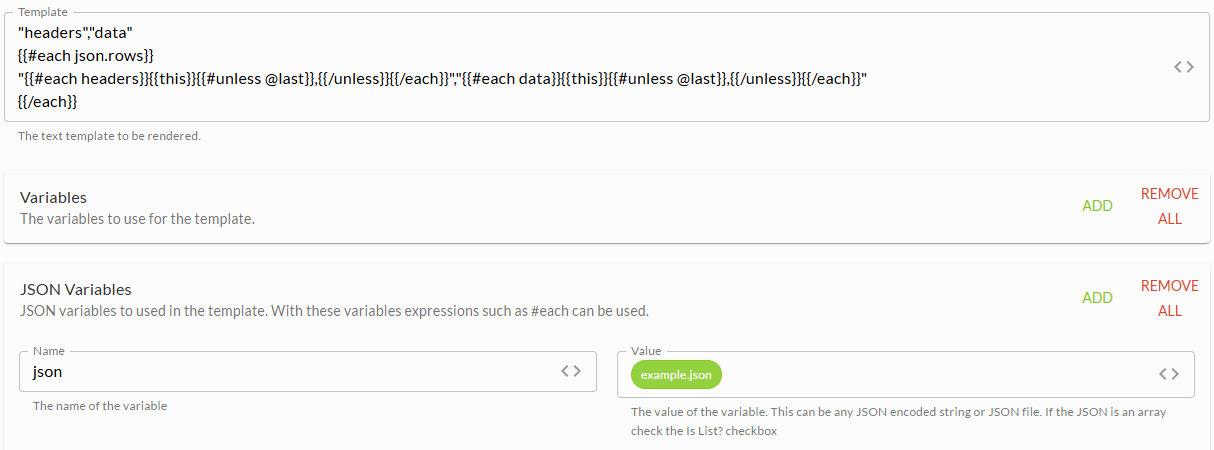
With the above example template, the output will be:
"headers","data"
"FCCS_Net Income,BU_XXXXX,FY25,AN2222,Actual,Final,Total Project,Total Product,YTD,Consolidation,Total Data Source,Total Function,Color,Intercompany,Total Geography,Movement","255555,22222,55555,68942"
Thanks,
Jeff0U moet u aanmelden om een opmerking te plaatsen.
Opmerkingen
2 opmerkingen