Take control of Sustainability Program metrics with new Values and Tasks configuration
To help ease data collection in Sustainability Program, you now have more control and management over metric values and their tasks, with respective views for both.
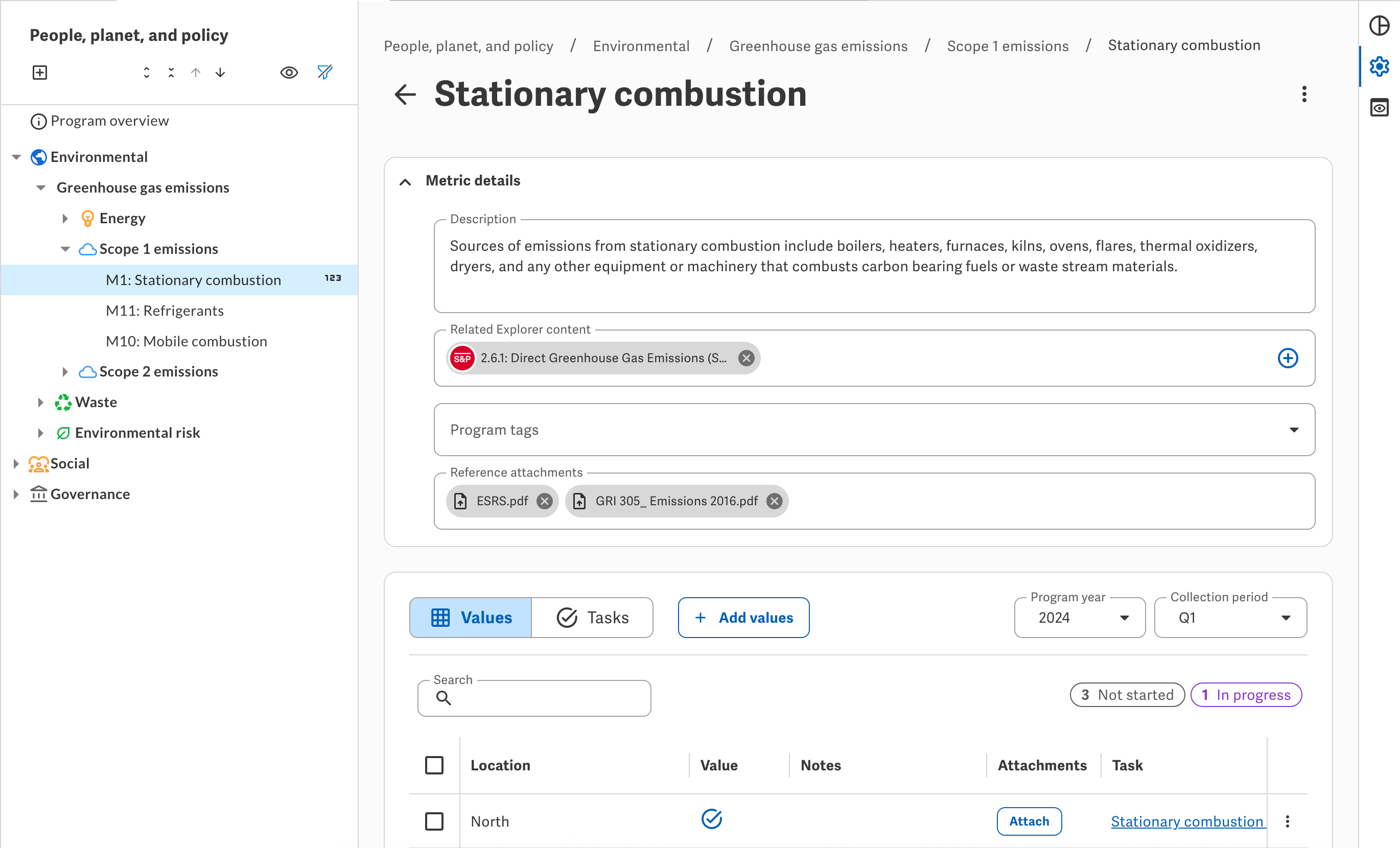
Values
From a metric, you can now set up the values it collects, based on collection period and any custom dimension applied. To set up a metric's values, first add its dimension — if necessary — from the Configure metric panel, then click Add values and choose the collection periods and dimensional values to collect.
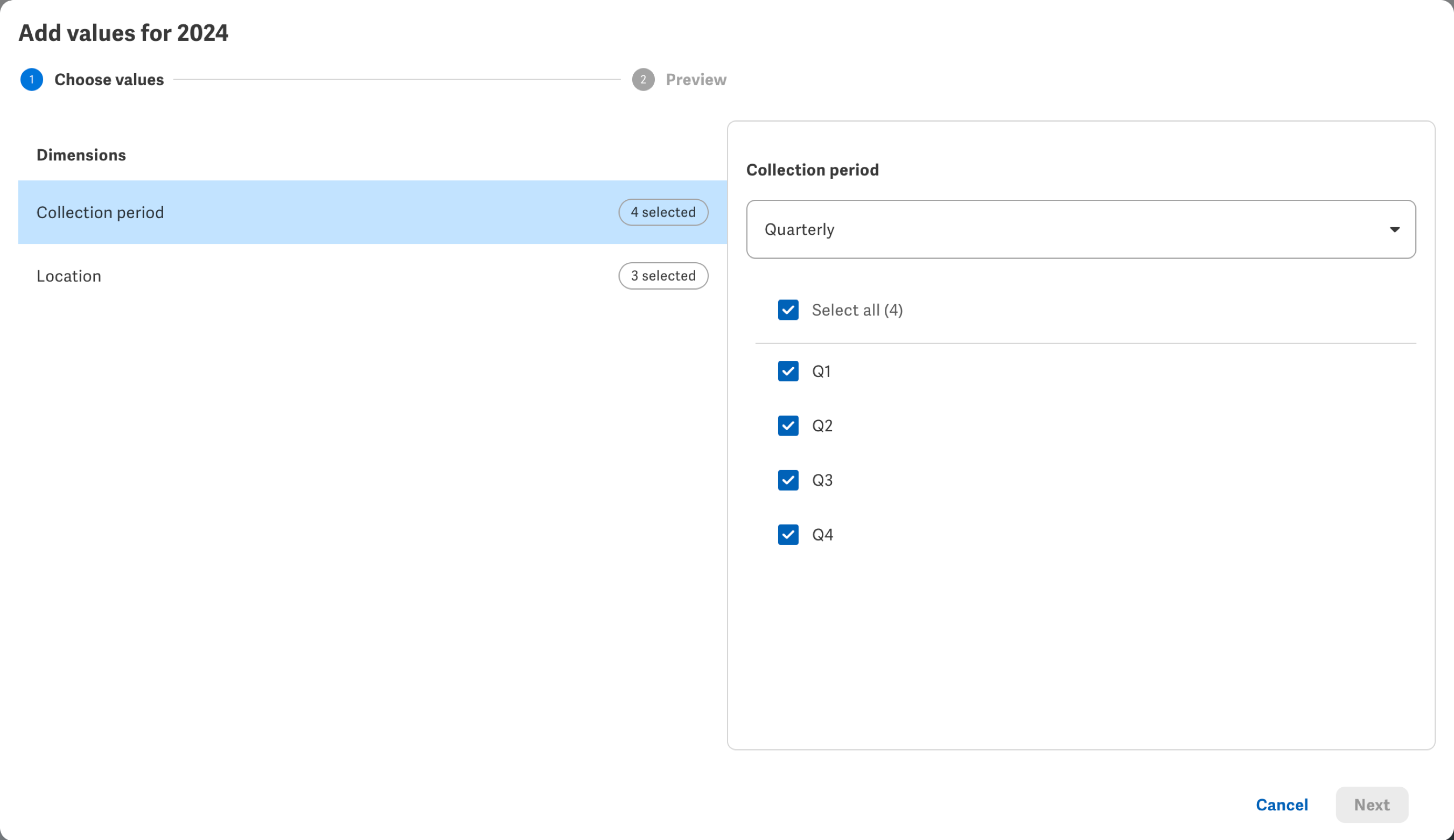
Note that you now choose the metric's collection frequency when you set up its values; previously, you selected the frequency from the Configure metric panel.
From Values, you can then view and manage the values collected through the metric — including completing their data collection and any supporting material directly from its row.
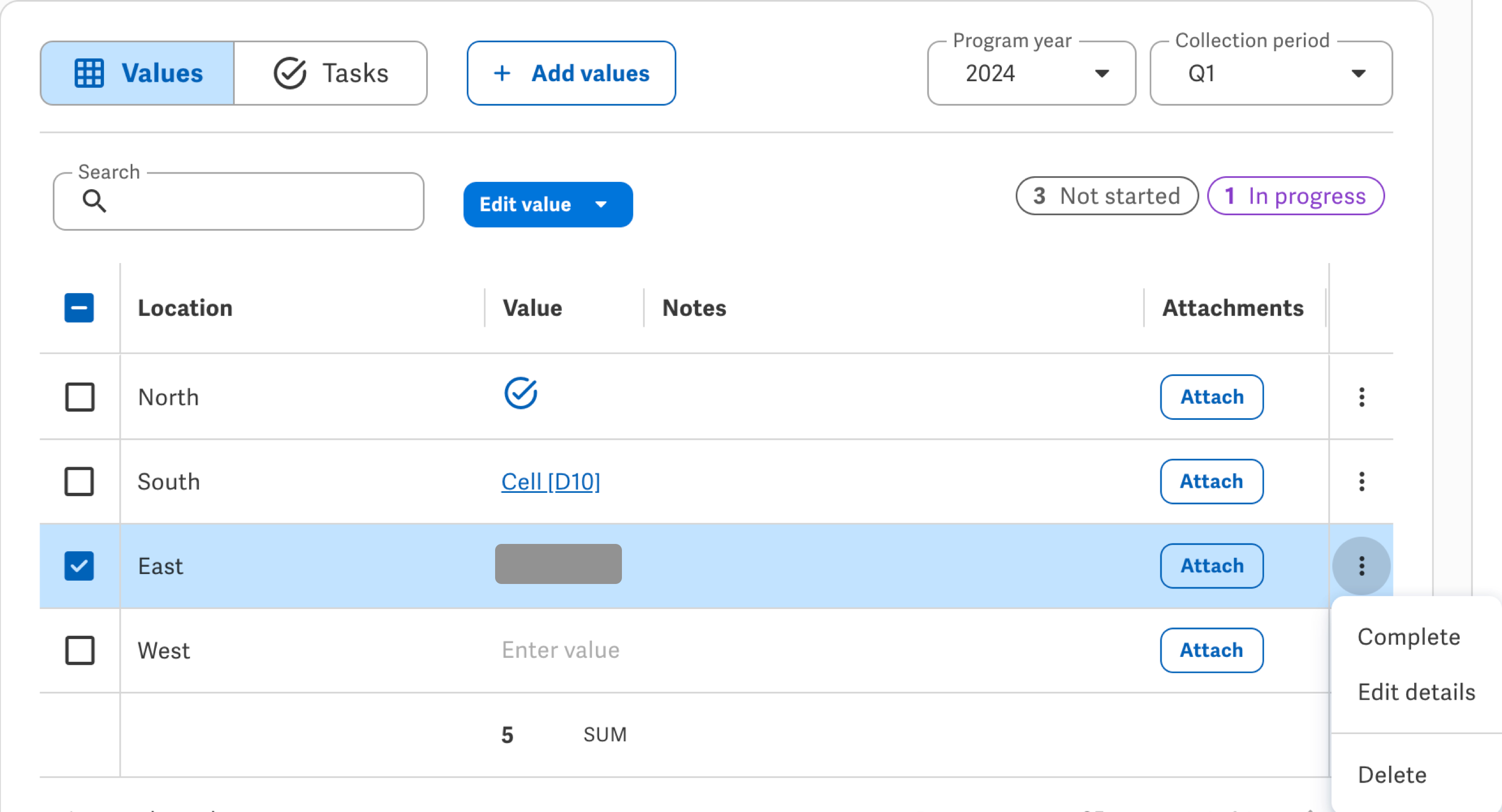
You can also apply an aggregation — such as a Sum or Average — to a column, such as for at-a-glance analysis of the values collected. (Note that this aggregation appears only as a reference on the metric and in the Workiva Tasks portal, and not in Query or files that use queries like the Factbook Spreadsheet.)
To learn more, view Configure values for Sustainability Program metrics in Support Center.
Tasks
Once you set up the metric's values, you can then create tasks to assign workspace members to prepare and approve them.
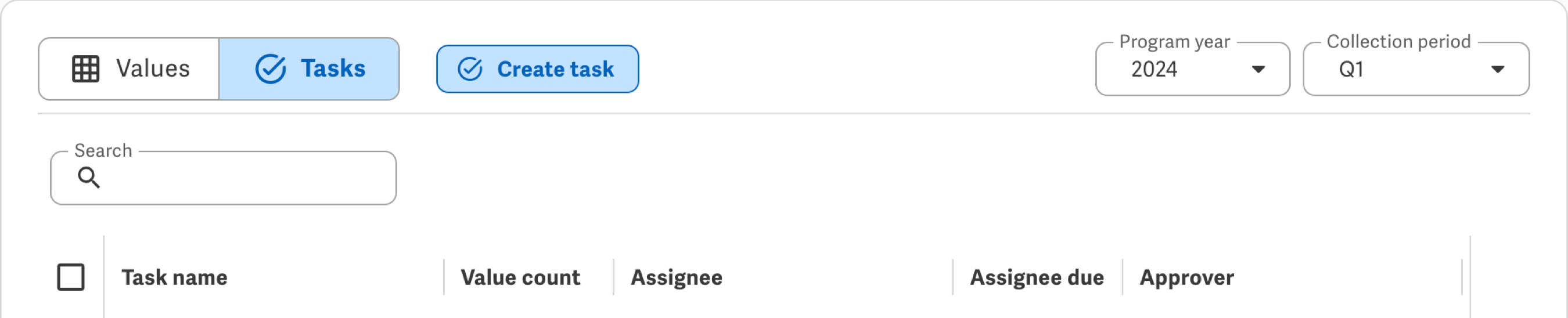
Previously, the Program created a single task per value. To help reduce task fatigue for assignees and approvers, you can now include multiple values — if collected through the Workiva Tasks portal, instead of a connected source file — in a single task.
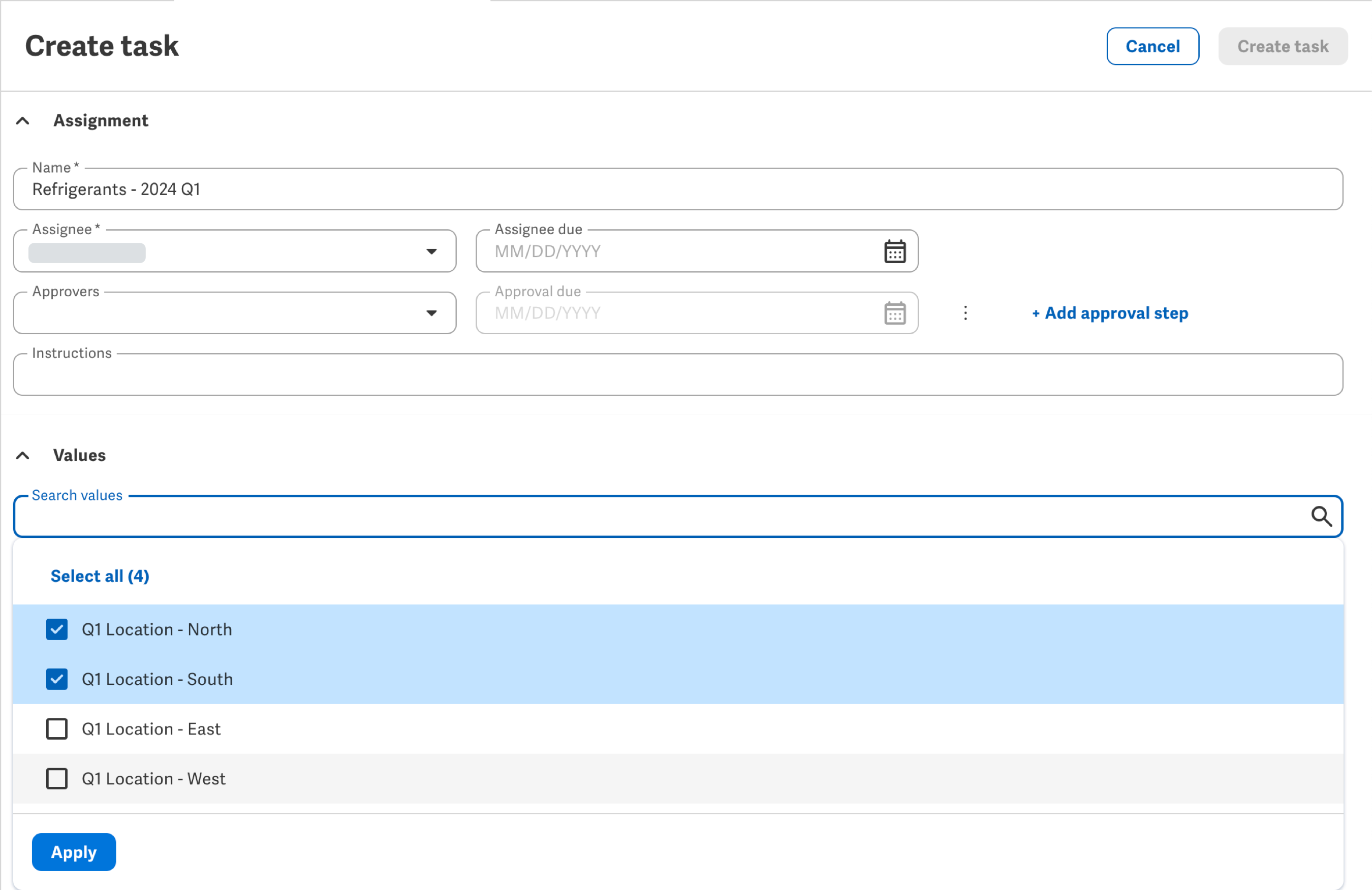
Values collected through a connected source file each require their own separate tasks; if you apply these values together to a task, the Program creates multiple tasks in bulk — one for each such value, all with identical assignment details.
To help reduce the number of tasks already created for a metric, you can now also combine not-yet-started tasks to consolidate their values — again, if collected through the Workiva Tasks portal — into fewer tasks.

From the Workiva Tasks portal, assignees and approvers can then prepare and approve (or return) their task's multiple values all together, streamlining the data collection process and reducing the number of tasks they have to complete.
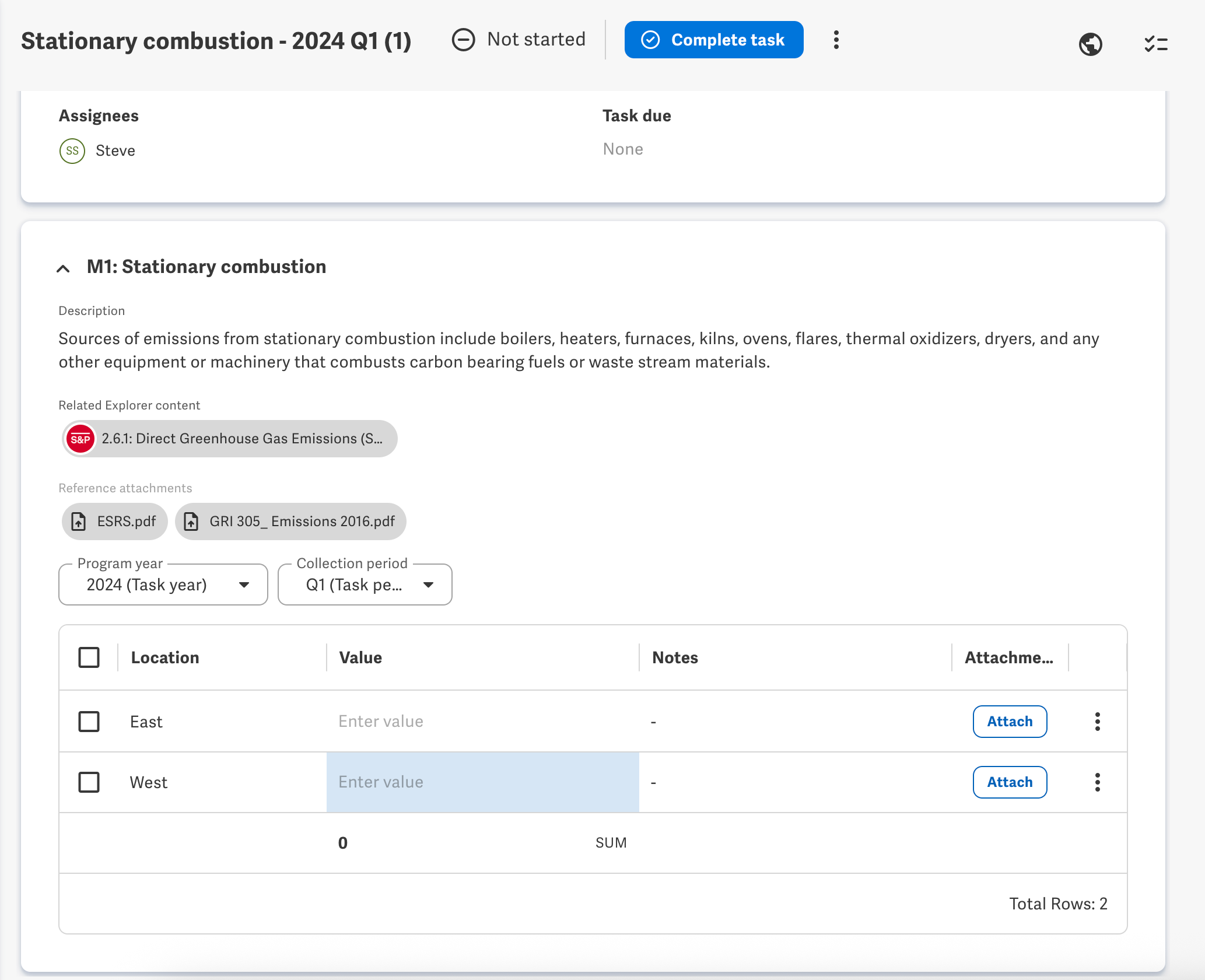
To learn more, view Manage metric tasks in Sustainability Program in Support Center.
-
Commentaire officiel

In addition to the added control, streamlined data collection, and data consistency enabled with the new Values and Tasks configuration, these features help lay the foundation for future enhancements on the horizon.
To help further streamline data collection, you'll be able to apply more than one dimension — up to seven — to a metric for a Program year. This will enable you to collect exponentially more values within a single metric and reduce the number of metrics needed for a reporting year. For example, within a single metric, you'll be able to collect Headcount by Gender, for multiple Departments, across multiple Locations. (Note this feature is currently already available for some Beta participants.)
With more values possible within a single metric, the ability to group those values together in fewer tasks for the Workiva Tasks portal — or to quickly create their tasks with the same assignment details for a connected source file in bulk — will help ease data collection even further.
The separation of Values and Tasks into two distinct concepts — rather than the automatic creation of a task as a byproduct of its value — not only enables more explicit control of how you delegate data collection, but also whether you delegate at all. For example, you may want to use Chains to automatically download emissions data from a source system — such as Workiva Carbon, Microsoft® Sustainability Manager, or Salesforce® Net Zero Cloud® — into a source Spreadsheet for the metric's values, forgoing a data collection task altogether.
Lastly, look for a new Import feature in the near future, which will enable the bulk creation or addition of elements in Sustainability Program — including the more granular components of metrics now enabled by the new Values and Tasks configuration!
As always, stay tuned to What's new in Sustainability Reporting in Support Center for more details as these features release. And if you're interested in becoming a Beta or Feature Preview participant — with early access to features before they're released — contact your Workiva Customer Success Manager!
Vous devez vous connecter pour laisser un commentaire.
Commentaires
1 commentaire