2026 CDP Questionnaire FAQs
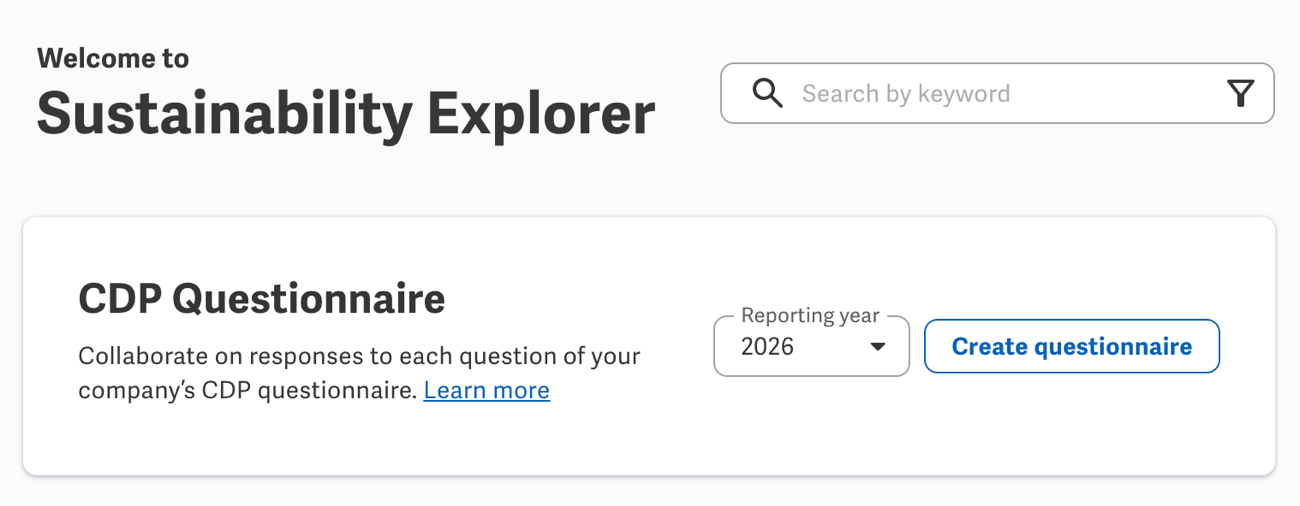
As announced elsewhere, you can now create a CDP Questionnaire in Sustainability Explorer to craft responses for 2026 CDP disclosures and update the corresponding questions in your CDP Portal submission — directly from your Sustainability Reporting workspace!
If you weren't able to attend the Beverage Break on this feature (or if you did and want a refresher), you can catch a replay. As another recap, here are FAQs raised during the session's lively Q&A.
Questionnaire setup
Which customers have the CDP Questionnaire feature?
Sustainability Reporting Advanced customers with CDP enabled in Sustainability Explorer, and Standard customers with the Raters & Rankers add-on enabled
How do I connect my Workiva workspace to my CDP Portal submission?
In the CDP Portal, add Workiva as a Disclosure API provider. This generates a CDP API ID, which is used to connect to your company's CDP submission when you create a Questionnaire in Sustainability Explorer.
Can I have multiple CDP API IDs, such as to use other providers for specific modules of the questionnaire?
Yes, you can add multiple providers to generate a separate API ID for each. However, note that the CDP Questionnaire in Workiva will pull in all questions from your submission, so you'll need to carefully coordinate with your external collaborators to avoid overwriting each other's data.
I responded to CDP in 2025, but not through Workiva. Can I pull in those prior year's responses?
When you set up your 2026 submission in the CDP Portal, CDP automatically rolls forward responses from the prior year for eligible questions. Those responses — and any others already completed in your CDP Portal submission — will automatically appear as a starting point when you then create the 2026 CDP Questionnaire in Sustainability Explorer.
Updates via API
Does the API sync both ways — between CDP and Workiva — continuously?
Workiva pulls from the CDP Portal only as part of the initial creation of the Questionnaire, to generate only your company's questions and any responses already entered in your submission. After that, the sync is one-way, to update your CDP Portal submission with questions' responses and statuses from the Questionnaire in your Workiva workspace.
What happens if someone continues to work in the CDP Portal after we create the CDP Questionnaire in Workiva?
Any updates from the CDP Questionnaire in Workiva will overwrite the corresponding responses in the CDP Portal submissions. To pull the responses entered in the CDP Portal into your CDP Questionnaire, you can create a new Questionnaire for 2026 to start again with the latest from the CDP Portal. To ensure you retain work done in Workiva, update your submission with other responses from the CDP Questionnaire as necessary before you create the new one. To prevent confusion and ensure collaborators use the right Questionnaire, you can also delete the previous 2026 Questionnaire or edit its permissions to restrict access.
Can I update my CDP submission from the CDP Questionnaire more than once?
Yes! You can update your submission with the latest responses from the CDP Questionnaire as much and as often as you need.
Does updating responses from the CDP Questionnaire finalize my submission in the CDP Portal?
No, you'll still need to complete your submission through the CDP Portal, such as to upload attachments, address requesting members, and perform other final steps.
Response entry
Can I assign data collection tasks to workspace members from the CDP Questionnaire?
Not from the Questionnaire. Instead, you can connect questions to Program metrics and set up assignees and approvers for their values as necessary. From the Questionnaire, you can then access a question's metrics from the Related metrics panel to copy/paste the collected values into their applicable responses.
I have Program metrics connected to 2025 CDP as related Explorer content. Do I have to manually reconnect them to 2026 CDP content?
Nope! Workiva can help automate the roll forward of your metrics' related Explorer content to update references from 2025 questions to 2026, based on guidance from CDP. Reach out to your CSM for details.
Does the CDP Questionnaire automatically pull in values from questions' connected metrics?
No. From the Related metrics panel, you can view and access a question's connected metrics, so you can copy/paste the applicable values into responses as necessary. However, the automatic importing and dynamic linking of metric values are both highly requested features and are under consideration for the future CDP Questionnaires (but not 2026).
How do conditional questions work? What about character counts?
The CDP Questionnaire mimics the same conditional logic as the CDP Portal, and locks or unlocks responses based on your other questions' responses. Similarly, the CDP Questionnaire validates responses to ensure they meet the same character count limitations as the CDP Portal.
Can I upload attachments to responses in the Questionnaire for my CDP submission?
No, you'll need to upload all attachments to responses directly through the CDP Portal, not the Questionnaire.
Can I view 2025's responses side-by-side with the 2026 Questionnaire for reference or as a variance check?
Not by default within the 2026 Questionnaire. However, if you used the CDP Questionnaire in 2025, you can open your 2025 Questionnaire in a split-view alongside the 2026 Questionnaire.
What new collaboration features are available for the 2026 CDP Questionnaire?
The 2026 Questionnaire introduces question comments (similar to Comments elsewhere in the workspace) and statuses (to track progress and indicate skipped questions). Other collaboration features — like Track changes — are under consideration for future Questionnaires (but not 2026).
Can I export responses to a Document file?
Soon! Your CSM will be able to run a script to export responses from your CDP Questionnaire to a Document file, such as to capture a snapshot of the current submission or enable review tasks. Stay tuned for more details.
Permissions
Can you set Permissions to specific modules or questions, or only the overall Questionnaire?
To help ensure collaborators have appropriate access, a Questionnaire Owner can grant collaborators Owner, Editor, or Viewer access to the Questionnaire and specific modules within it. However, you can't set Permissions to specific questions within a module.
Can I grant Permissions to user groups, or only individual workspace members?
You can grant Permissions to both user groups and individual members, just like with Documents or other files in your workspace.
Is there a way to view all modules' Permissions at the same time?
No, you can only view Permissions set for the overall Questionnaire or each module.
***
Any other questions? Drop them in the comments below!
-
Official comment

As alluded to as "Soon!" above, you can now request an export of your Questionnaire's responses to a Document to help enable a holistic review, automated tasking, and more. To fulfill your request, Workiva Support will need a secured Document that includes your CDP Questionnaire's URL and the credentials to an API grant created specifically for the export.
Please sign in to leave a comment.
Comments
1 comment