Do Spreadsheets have the TODAY formula or something similar to automatically update dates?
Completed-
Official comment

Hi there folks,
It's an exciting day for the Workiva Community! The TODAY() Formula has officially been released to Workiva Spreadsheets.
With support for this formula, we have also added a timezone property for Spreadsheets/Documents/Presentations. The timezone is set based on the creator's user time zone. TODAY() is re-evaluated on document open or browser refresh. A few notes about TODAY():
- If a user's time zone is not set under the user's profile, the Spreadsheet/Document/Presentation timezone will not be set, which will result in a formula error until the timezone is set. To avoid this happening repeatedly, make sure your timezone is set on your user profile.
- If TODAY() was included PRIOR to this release, the formula will not automatically work. Please re-enter the formula.
- When adding the TODAY() formula, ensure that the cell value is set to "Date"

Hello and welcome to the Community, Al!
Unfortunately, the function =TODAY() is not yet available in Spreadsheets, though our Product Team is investigating adding it to our list of available functions. As a side note, the TODAY function is available in our Workbooks product but requires a document validation to update the formula correctly.
In the meantime, I've shared your interest in this feature with the team and will keep you updated here with any new developments. Let me know if I can answer any further questions for you. Thanks, and have a superb day!0
Any updates on this function? 0
Hi Caremilli!
At this time there's no new update here regarding support for the =TODAY formula aside that it does remain on our Product Team's radar. I've passed along your interest and will certainly keep you posted on any new developments going forward, both here and on our What's New category.
Holler if you need anything else in the meantime, or have any additional questions. Thanks as always and have a great day!0
I'm also in favor of this formula to be added.
1
Please, please, please, prioritize this formula.
1
Please Prioritize - is this available in NextGen?
0
Its a deal Rebecca Demy!
Jeena Whitehurst at this time, =TODAY is not yet supported in next gen Spreadsheets, but definitely is being looked at by our Product Team. I've made sure all of your above requests are connected to the corresponding ticket on our end. We'll update that ticket at let you know just as soon as we have more info to share. In the meantime, let me know what questions you have, or if you need anything.
And thanks your input, it's truly appreciated. I know it sounds cliche, but it truly counts and helps us prioritize for sure. Best, and happy Tuesday!1
If any of you can shed light on how you would use a TODAY formula as part of your processes, I'd be interested to know how it might make certain things more efficient?
1
I have a schedule sign-off sheet which calculates number of schedules past due, number of days remaining until due, etc. and also a status dashboard to display that information.
1
Similar to Jamie in this string, I use a document review tracker that links to document & version control tables in each tracked document. The tracker is set up as a heat sheet that tracks reviews that are overdue and how many days until the next review is due for each doc. Also tracks document status such as "draft", "pending approval", "published" etc. Helps us manage required documentation.
1
Similar to Jamie and Rebecca, I use it for when things are due or a lookup based on the date. Either in conditional formatting or to ensure the date I am pulling is today instead of some date in the past (or possibly in the future when forecasting). Dates are an important aspect of data management and review. Having to enter a new date each time a review is done is inefficient, not to mention not possible for those individuals who only have read access. I cannot expect someone from senior leadership to go into a file and update something with today's date when a computer can easily determine this.
0
I also would like this feature to support the close checklist product that we bought a few years back. Now that we've transitioned to next gen, we have to manually populate today's date in order for the close checklist report to present accurate information on delinquent tasks. It would be GREAT if we could get it to automatically populate. We have multiple close checklists for multiple companies.
0
We need this feature as well for dynamic reporting across multiple sheets.
1
In my reporting it is a risk to ensure that every user is running the report for the current date. If the report is run for a prior day because the user forgets to update the date, then this results in inaccurate information. I would like to have the today formula to eliminate that risk.
1
Does anyone know if this date feature was ever added?
0
Sadly, it has not been.
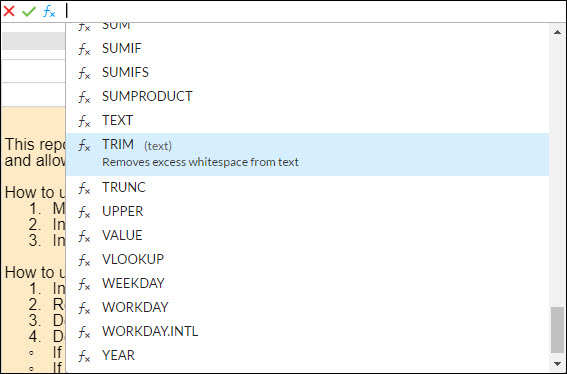 0
0
Andres Debayle Cody is correct, currently =TODAY is not supported in Spreadsheets. Our Product Team is looking into it, and I've got your request connected there. That being said, its not likely this function will be worked on anytime soon.
Thanks much for your feedback, and holler if you need anything.
1
Mike Davis Looking at the history of this thread it looks like the =toady() function was requested over 3 years ago, are you able to advise when you expect this function or something similar be made available? Thank you
1
Hello and welcome to the Community, Henrietta!
I did some checking with our team on this and can at least say our Product Team would like to implement the TODAY formula in 2021, for sure, however this is dependent upon some product discovery and technical feasibility research that we are in process of conducting now. Sorry I can't be more precise on timeline as of yet, but we should have a better idea after the research portion, for sure.
In the meantime, I've got your requests connected so you can follow along, but I'll also keep this post updated as well. Thanks much for your feedback and holler if you have any questions for me. Cheers!
1
Mike Davis Can I be added to this request as well so I can follow along? It would be great if I can be notified if/when the TODAY function does become a function, so I can incorporate it into the many ideas I have to further automate my processes. I am going to have to stick to using Excel in the meantime.
0
You betcha Shelby Estes! I'm happy to share your insights here and will definitely keep you updated.
0
Hi Mike,
I would like to be added to this thread. I was trying to use the formula "=today()" in the footer of a Document within a table and it was not working. Thus, I did a search and stumbled upon this thread.
Thanks for your help!
0
It's a deal, Joseph! I've got you (and Kellie) all lined up.
0
Hi Mike, are there any updates on the implementation date for TODAY() formula?
0
Hi Iryn and Liani!
It's somewhat positive news regarding the TODAY formula. First, this is planned still and does remain the radar for our product team to pursue. And secondly, we are in-flight with the Idea Lab currently, so your timing here is great. I'm happy to get this suggestion into the running which will definitely improve its chances of making it into the running for Q4 2021 or Q1 2022.
0
Please do! This has been an ongoing source of dissatisfaction for my team with the Next Gen platform. Restoring that functionality would increase confidence with my team in Workiva's commitment to client focused solutions. Thanks!
0
Hi Mike - can you add me to the list to be notified when this feature is available? like some of the individuals above mentioned - we use this formula with conditional formatting to show us what's coming due, what's past due, etc
0
Hi Tiffany!
Most definitely. We'll get you linked up 😎
As a recent update post-Idea Lab, though this didn't get picked up as a feature to demo for the conference, I did get word that its planned for 2022, likely mid-year.
0
Hi Mike! Can you please add me to the list to be notified when this feature is available?
0Please sign in to leave a comment.
Comments
69 comments