Chains Dynamic Outputs: The "Output" of Your Workflow’s Flexibility
Dynamic Outputs - think of them as the ever-changing chameleons of your workflow! Dynamic outputs adapt to the data and conditions you feed into them, offering flexibility and real-time responsiveness.
📋Key Features of Dynamic Outputs
1. Dynamic Outputs is based on the results produced by the Command Details or Data Output
- The output of the Command Details, such as Command Status, Execution Time or Command Logs, can be used to configure Dynamic Outputs.
- Alternatively, if the command outputs data, Dynamic Outputs can be created based on the data file (e.g. specific values or data range).
2. Dynamic Outputs support both Exact and Regular Expression (RegEx) patterns to define what output should be retrieved
- Exact: Searches for and return an output that exactly matches the value or string specified. This is useful when looking for specific information in the results.
- RegEx: A more flexible search, leveraging patterns to match data structures or values. This is ideal when looking for information based on patterns or structured data that follows a predictable format. More information on RegEx can be found here: Regex Basics: Confidently Apply It in Chains.

3. Dynamic Output can be configured to generate a Single Output or a List of Multiple Outputs
- Single: When there is a need to capture a specific data value or a string
- Multiple: When multiple values are to be captured and parsed as list of outputs

💡Example: Using "Workiva - Get Sheet Data" Command with Dynamic Outputs
“I want to use a Spreadsheet as an input for variables, and in this case from the Spreadsheet I would like to extract the year value from Cell A2, which will then be passed as a variable throughout Chains, allowing me to anchor my workflow logic on that value”:

The Workiva - Get Sheet Data command is designed to pull data from a specific spreadsheet, sheet, and range:

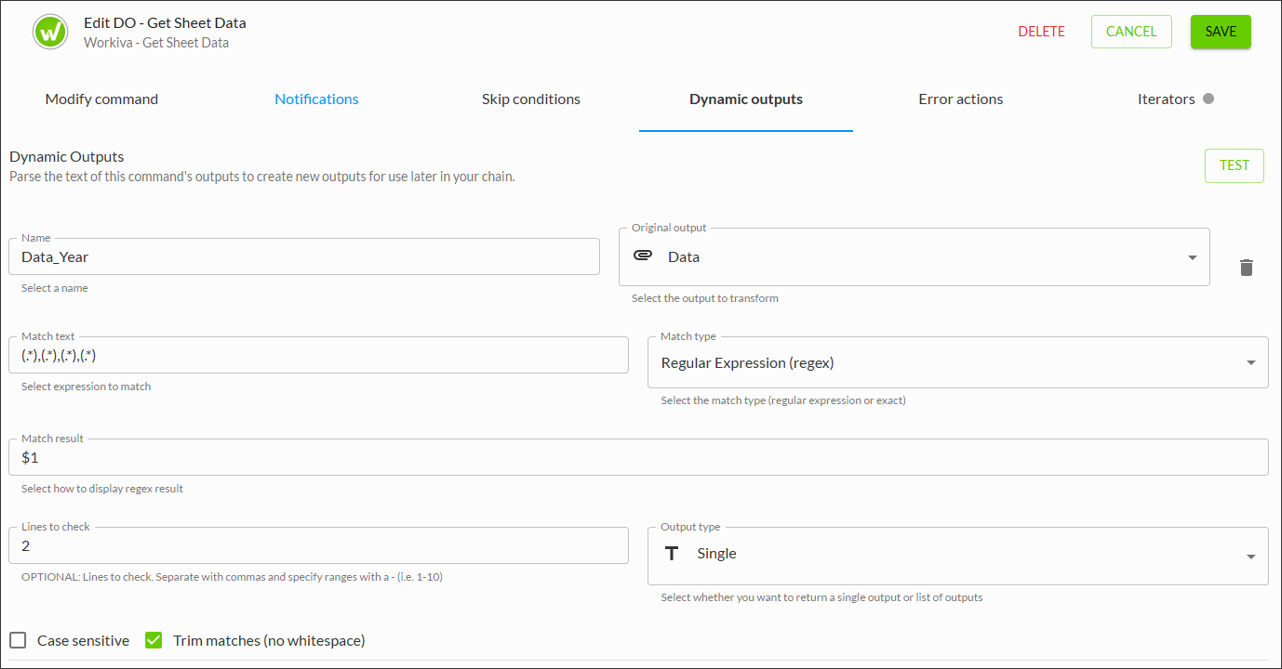
Dynamic Output can then be configured within this command to pick out the Year value from the full data set within the sheet.
Here is the breakdown of the Dynamic Output configuration:
- Original Output: This refers to the data that is retrieved by the command from the spreadsheet. In this example, the data held within the spreadsheet region A1:D2.
- Match Type - RegEx: The chosen method to match the data. In this example, every row in the first column will always be a Year value, but the value may change, therefore RegEx match is selected.
- Match Text: The RegEx pattern of choice is (.*), which means "match everything".
- Match Result: This refers to where the value required resides in the RegEx pattern. In this case Year is the first group, and “$1” is used.
- Output Type: Single Output means the output will be a single value or string.
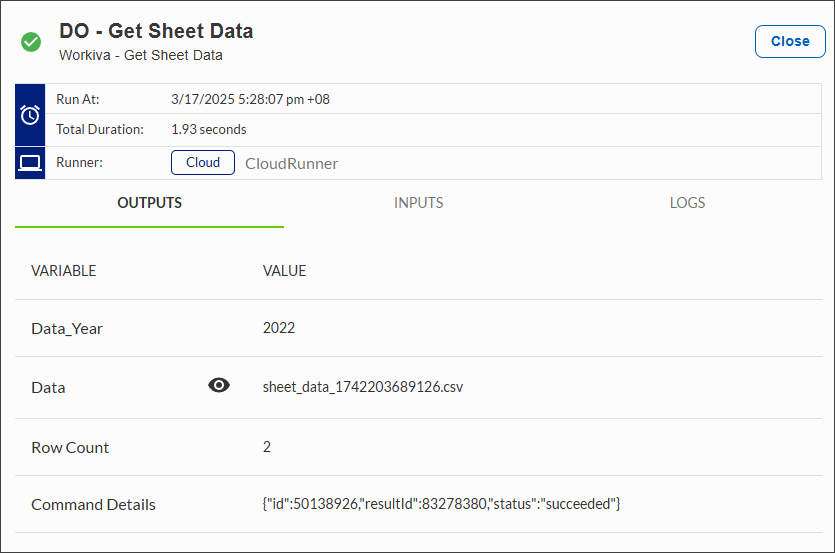
Results - the Data_Year variable is extracted as "2022":
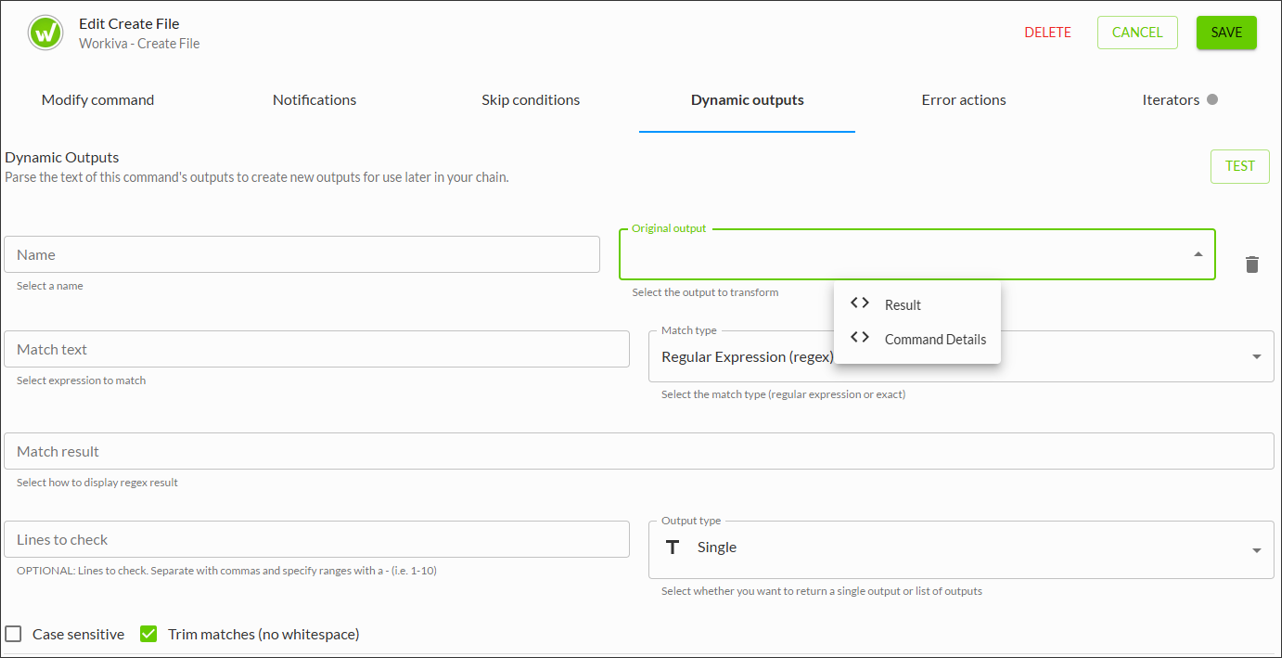
If another Command (e.g. Create File) is connected to this Workiva - Get Sheet Data Command, the Data_Year variable created through dynamic outputs becomes an input option to be selected and used in downstream logic:

Have questions about Dynamic Outputs? Leave a comment below or reach out at connected@workiva.com.
Por favor, entrar para comentar.
Comentários
0 comentário