Getting started in the Workiva Community
PrzypięteHello, and welcome to the Workiva Community. First off, I wanted to say thanks for joining. It's great to have you.
To get started, let's take a quick tour of the site. For a video tour, click here.
Accessing and editing your profile
By default, your screen name in the Community is your full name, so odds are you'll want to change it. From your profile view, you can set both a profile picture and a new screen name, i.e. Alias, as well as any details about yourself.
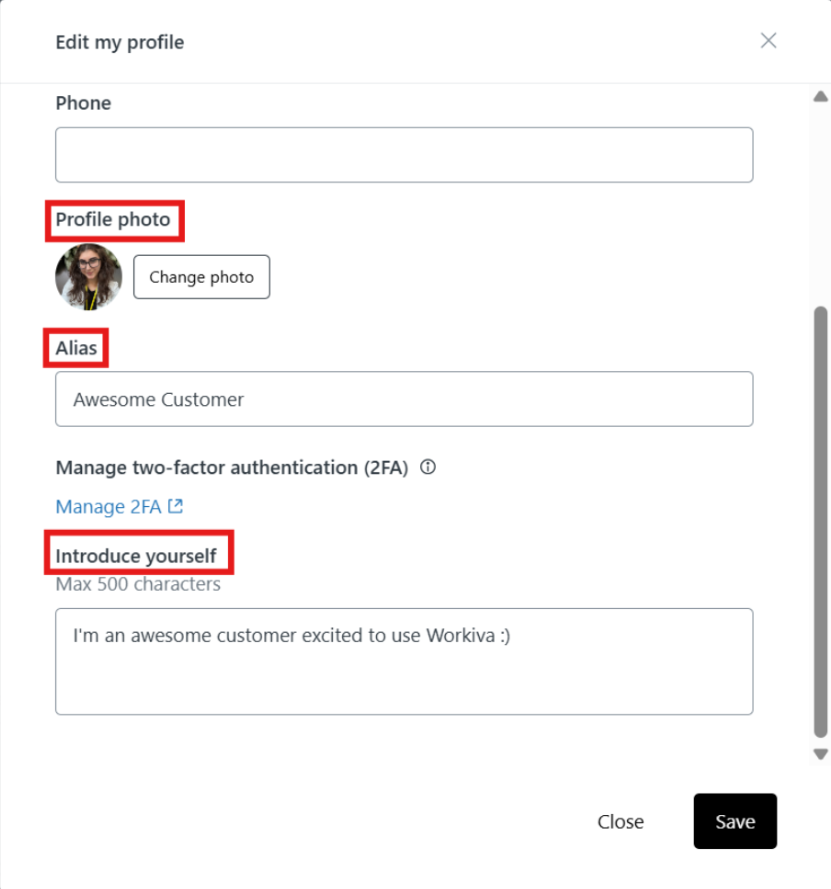
You can also see and adjust your current site notification subscriptions from your profile view as well as manage 2FA.
Community homepage & search
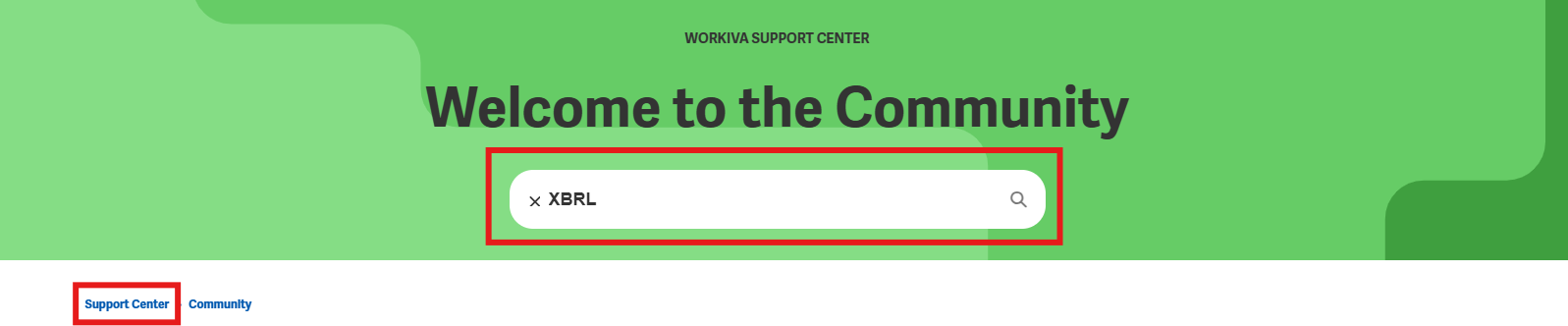
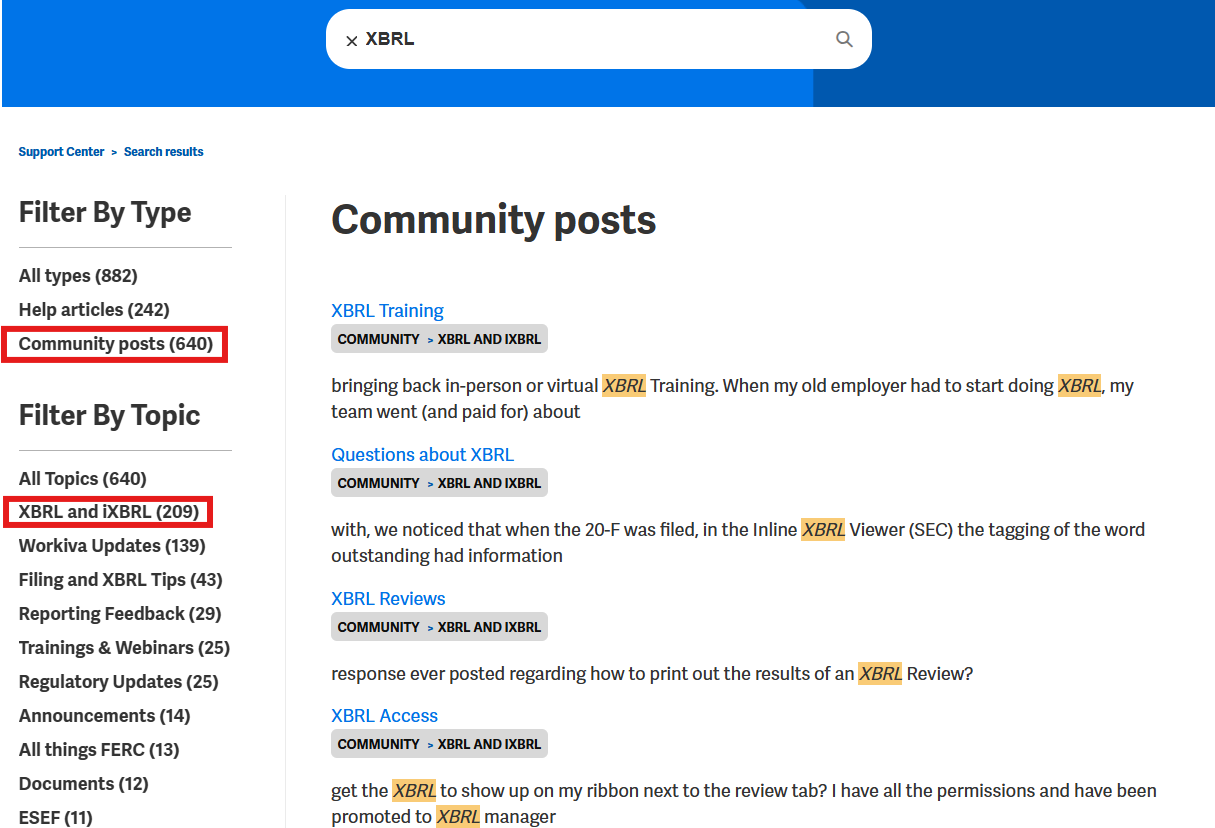
You might want to first perform a search when you land on the Community. Since the Community is part of the Workiva Support Center, the search results include relevant Help articles too, and from the left hand panel you can filter between Articles (Help site) and Posts (Community site), and further filter them by Category (Help) or Topic (Community), i.e. how stuff is organized on the sites.
All posts and creating a post
Just underneath the search box on the homepage is an option to see all posts in the Community, and also a button to create a post. This option to create a new post is also available from any page in the Community.
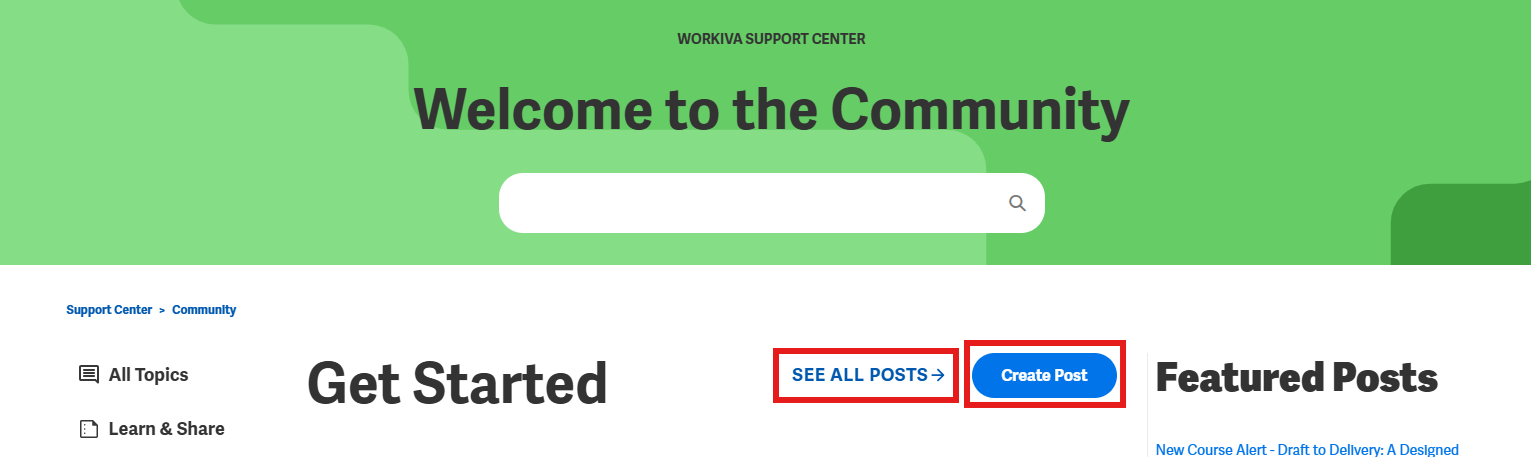
Simply click "Create Post", add a title and description an add it to its corresponding Topic.
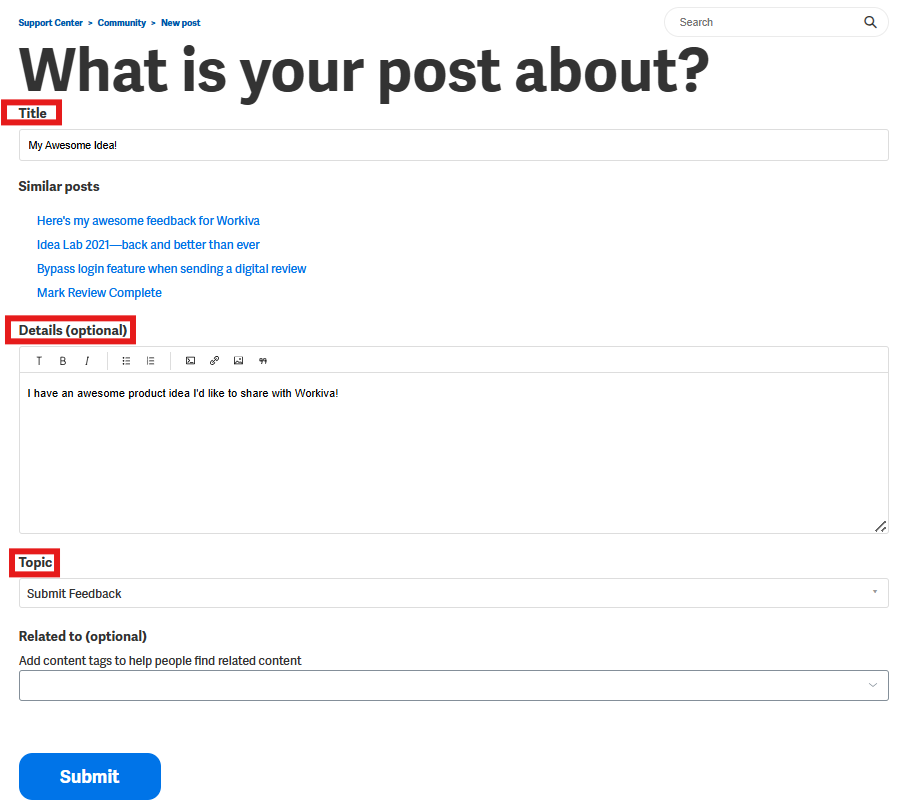
What are topics? Let me show you!
Community topics
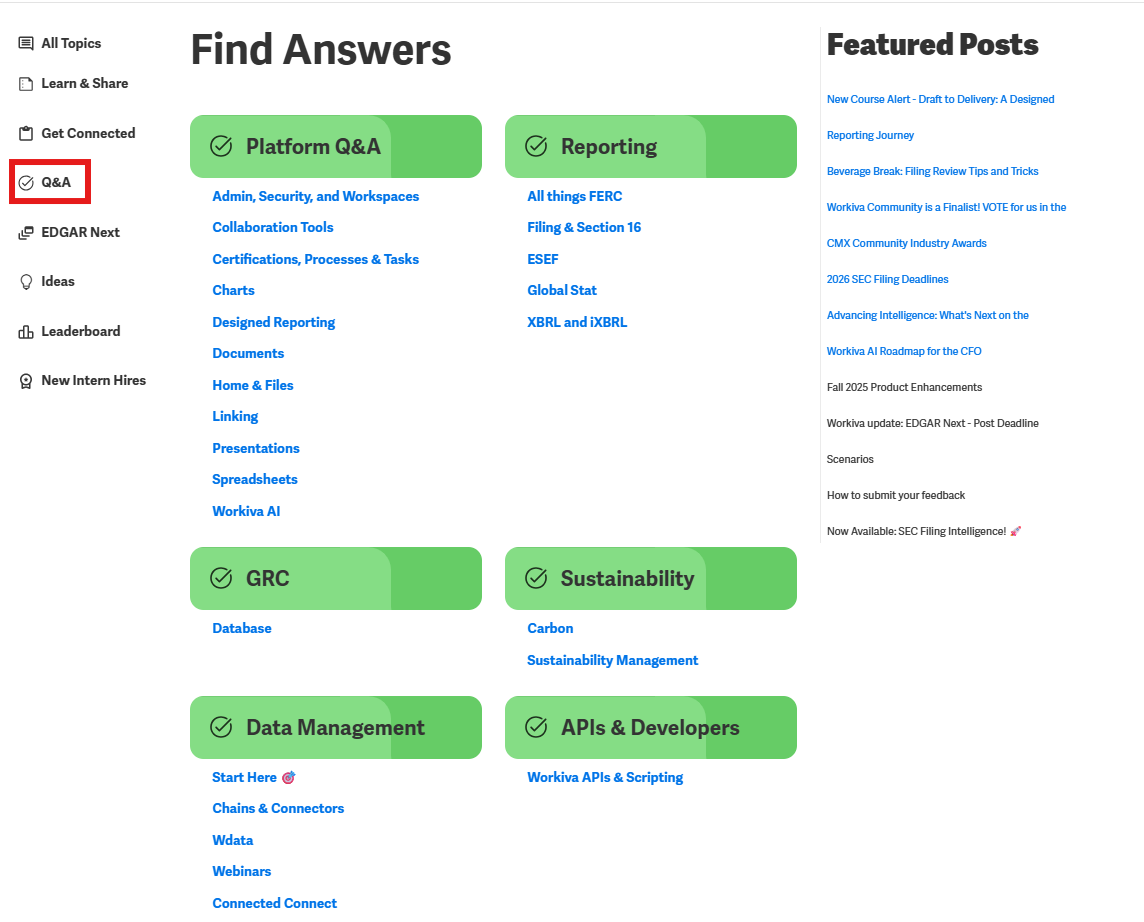
Topics are how posts are separated and organized. We have three main buckets of topics including Learn & Share, Get Connected, and Q&A that can all be found on the lefthand side of the landing page. Here you will find all kinds of information, news and ways to connect with Workiva, and with each other. You may also view, All Topics for a deep dive into every discussion category.
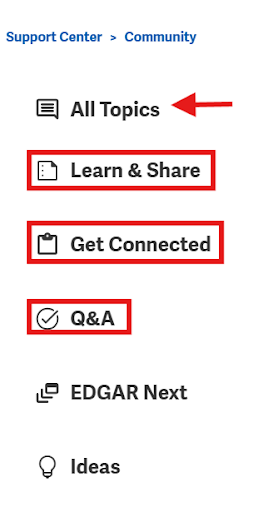
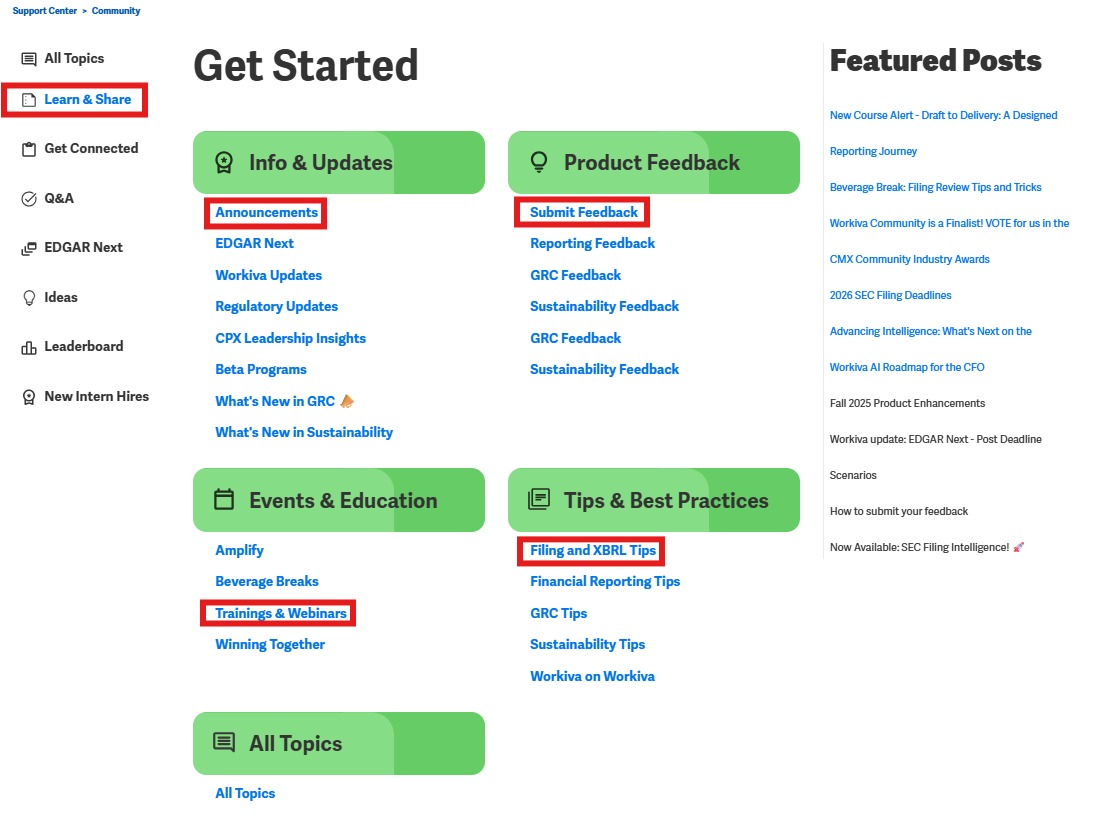
Learn and Share
Inside of Learn and Share, you can find many of our Getting Starting resources to help you hit the ground running: Info & Updates for latest announcements and product releases, Product Feedback to share your suggestions, Events & Education for trainings and webinars such as Beverage Breaks, and Tips & Best Practices for expert advice on Filing , XBRL, and GRC Best Practices.
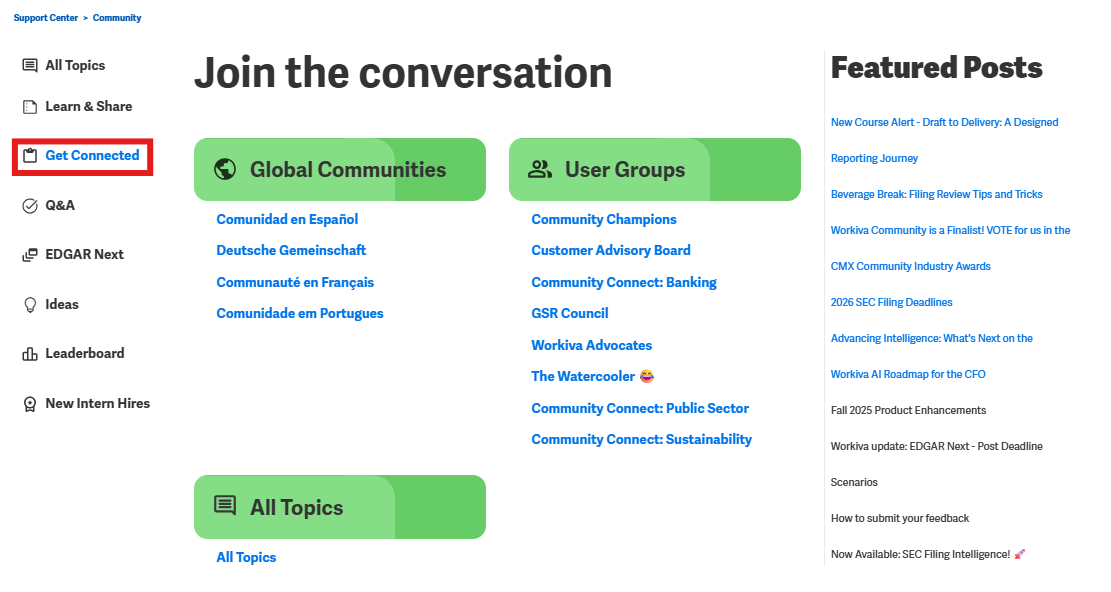
Get Connected
After that are our tiles devoted to helping Workiva users Get Connected. This is your invitation to join the conversation and build relationships within the community. You can dive into Global Communities, such as Comunidad en Espanol to connect with peers in various languages, or join specialized User Groups—ranging from industry-specific "Community Connect" sessions to casual spaces to share targeted insights.
Q&A
Our most common Product Discussions happen in the Q&A section. Here you can ask your own questions or share you own tips & tricks about products and features covering popular topics such as Documents, Spreadsheets and Presentations, as well as Workiva AI, Workspace & Admin, XBRL & iXBRL, GRC and Wdata.
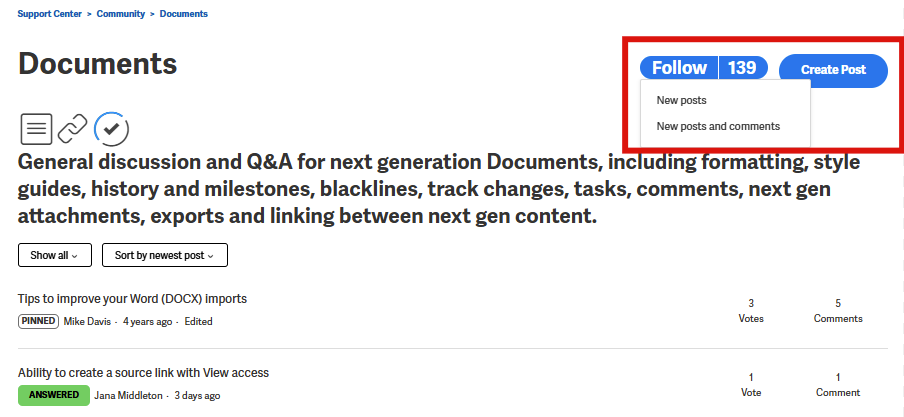
Follow Topics
The great thing about topics is that you can easily follow those that interest you and receive automatic email updates when there is new activity in that topic. So we definitely encourage you to follow these to stay on top of all the goings-on.
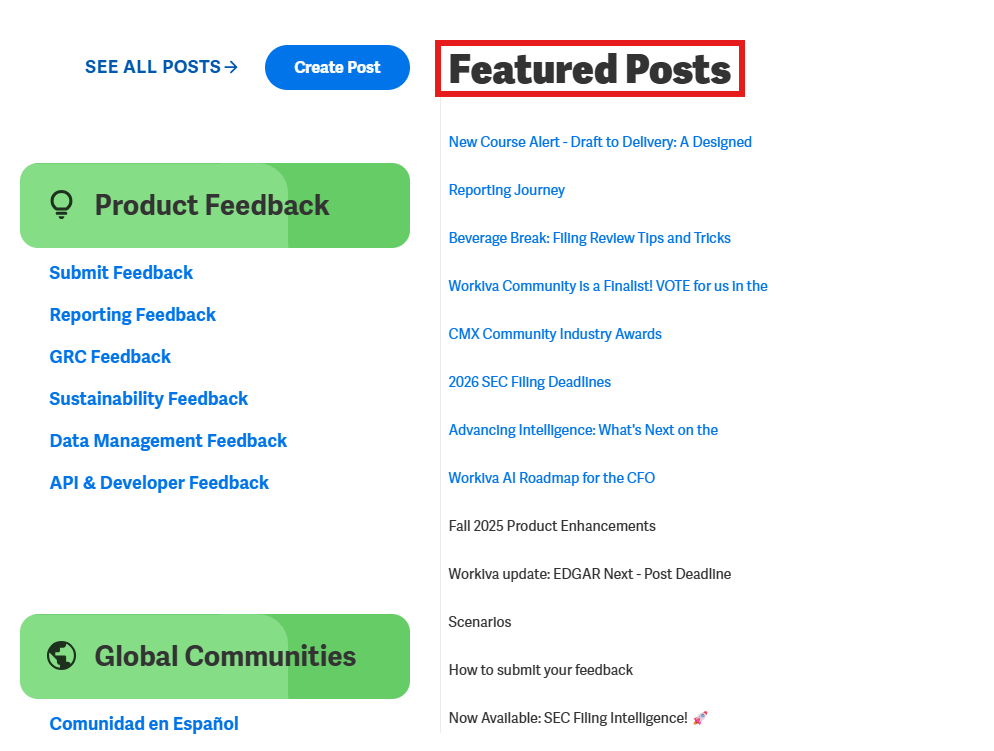
Featured posts, comments and votes
Below the topic list are the featured posts, which are the most popular and trending conversations as of late. Clicking on any of these will take you directly to the post.
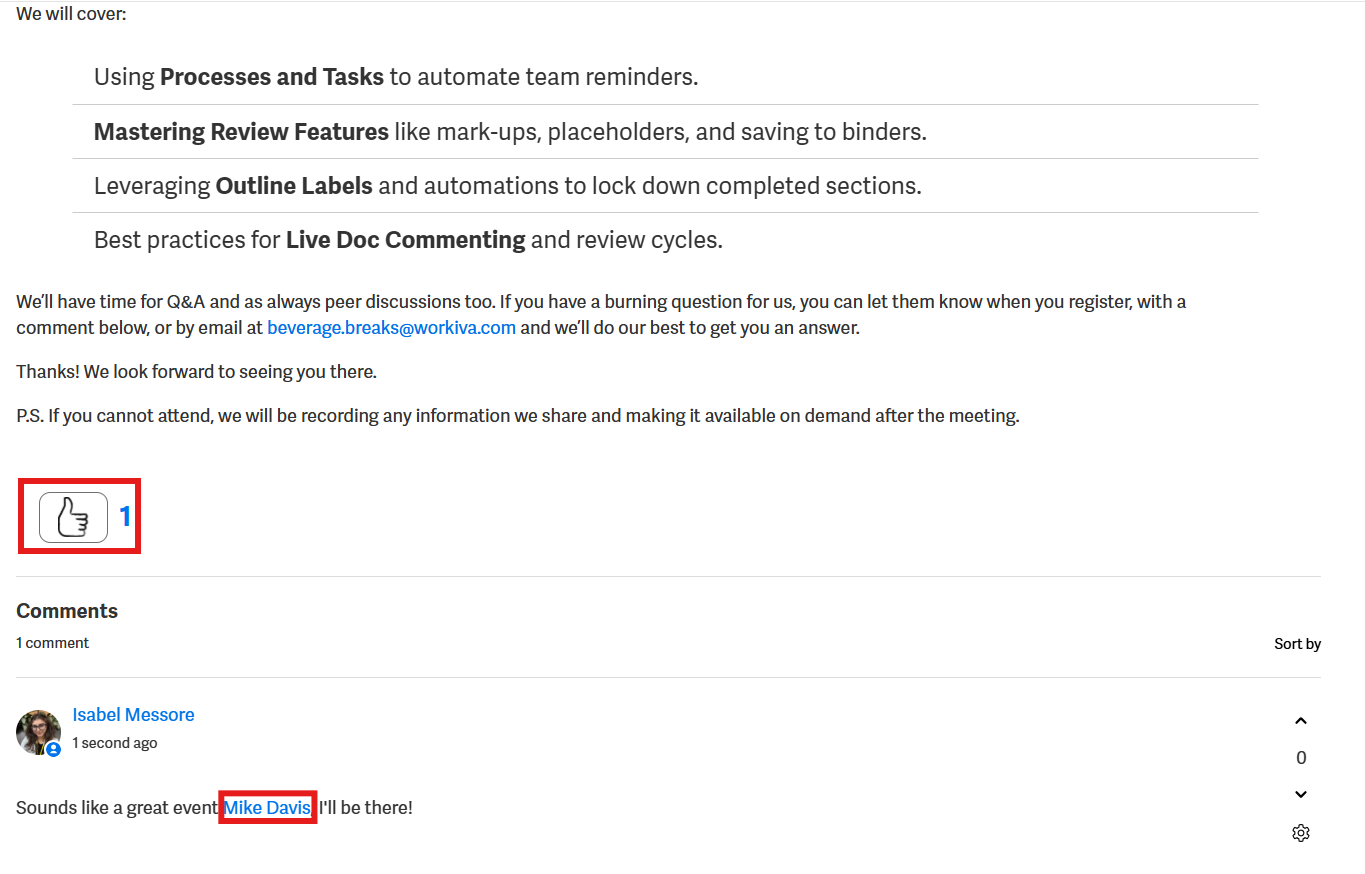
From any post, you can vote up or down, comment, and even @mention a fellow member within the thread.
That about wraps it up. Thanks so much for joining. If you do have questions, feel free to reach out on the Community by posting a question or email us at community.manager@workiva.com.
See you out there.
Zaloguj się, aby dodać komentarz.
Komentarze
Komentarze: 0