Reorder Data within Stacked Bar Graph
Hello! I have been working on a stacked bar graph to create a visual for one of our statutory financial reporting requirements. I'm quite pleased so far with the outcome of the chart, yet unfortunately, we have no flexibility with the order of the risk factors (which is the stacked data) within the requirement as it is in numeric order. In other words, the stacked bar data must be in the order of the risk factors within the legend. At first, I tried to reorder the chart legend and found a workaround if reordering the legend wouldn't work. Now, the stacked data is reordered. Within the Chart Data window, I have the data listed in order of the required risk factors; although, the stacked bar data doesn't follow the chart data sequence I entered. Is there a way to reorder the stacked bar data??? I've been working for a while to get this fixed and some representatives assisted with the chart legend. So, now the chart data is my problem. Any assistance would be greatly appreciated--especially if quickly.
-

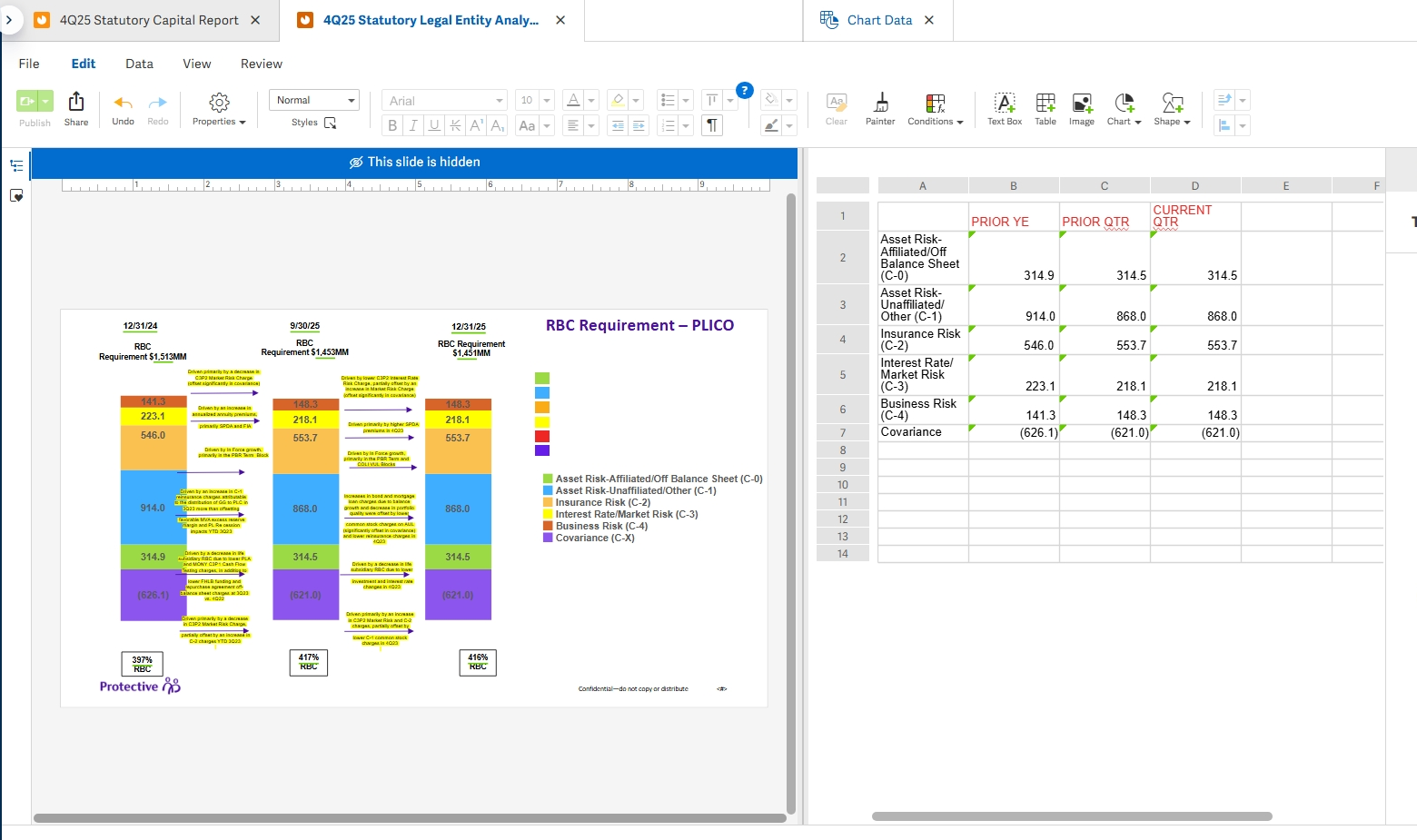
Here'a a screenshot of the chart data, the current stacked bars, and the associated chart data window. As you can see the legend and the chart data aligns while the stacked bar data doesn't. Thanks in advance for your help anyone!
0
Hi Darmarea Burge,
Wow that sounds complicated! I'm not sure what all you've done, but I'd recommend just putting the data in reverse order in the Chart Data (so the series that you want at the bottom of the chart would go at the top row). Then in the Chart Properties, you can go down to the legend and ticket the "Reverse order" option. That should give you a legend that matches up with the order of the stacked columns!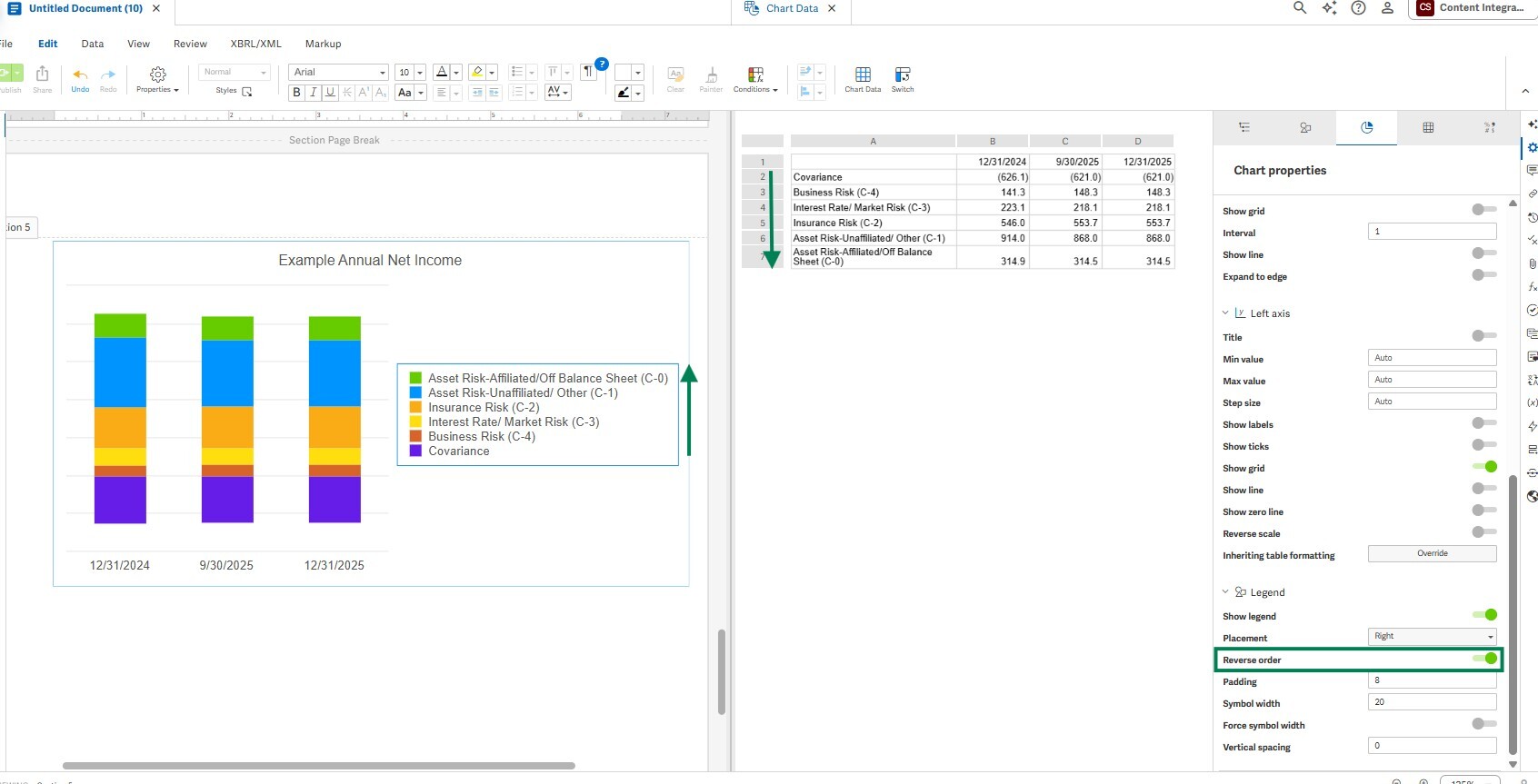 0
0U moet u aanmelden om een opmerking te plaatsen.
Opmerkingen
2 opmerkingen