How can I take last stacked file being iterated in a command group and upload to a table
BeantwoordI have a chain with command group that is iterating runs and I am using stack file to stack each result up. Now I need to take the last iteration and upload it to a table. I did some research and seem like Dynamic Chain Variable can help define which file is the last. Now my question is should I take id of the last run or do I take the result set?
Then, in Create File, what will be my input for the "Input file"? The ID? Will it be able to find the file in the back-end cache? Or the result set Below is my current set up. Any help is greatly appreciated

-

Hi Jase the Ace,
Are you trying to capture the very last iteration only? Meaning if the chain had X items to iterate over, you only want to capture the values in iteration X for the create/import file and not 0-(X-1)? If so, you can get the last iteration in Variable > Group Iterator > Last Iteration. This will get around having to track iterations with a dynamic chain variable.
On the other hand, if you want to create/import the resulting stack file after all iterations have completed, you can do so by moving the create/import action to the Out of the group and reference the stack file command from there.
Let me know if I have misunderstood your question, and I'd be happy to help further.
Thanks,
Jeff0
Hi Jeff Hickey,
Yes, that's correct. Just the last iteration and then create file and import.
So the updated layout should be like this? Is there anything else I need in the group?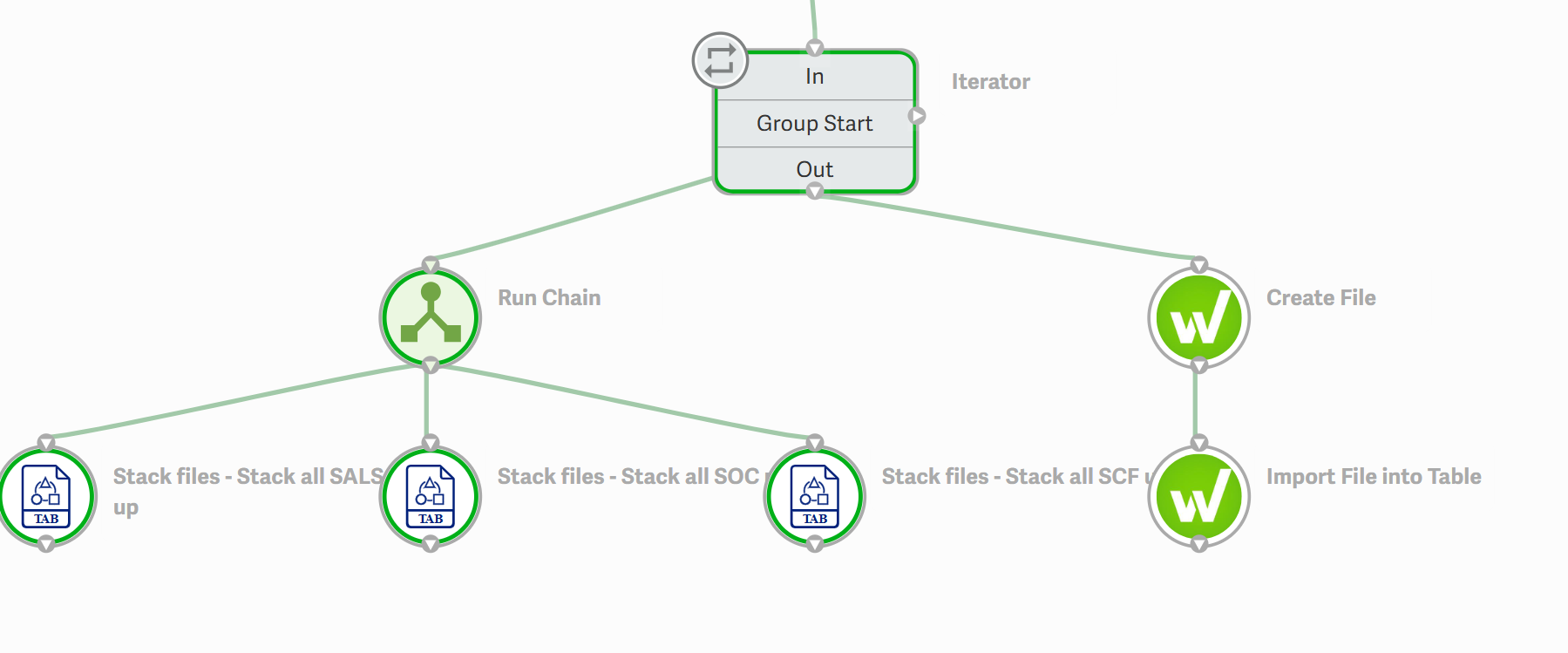
For create file specifically, my file input as below?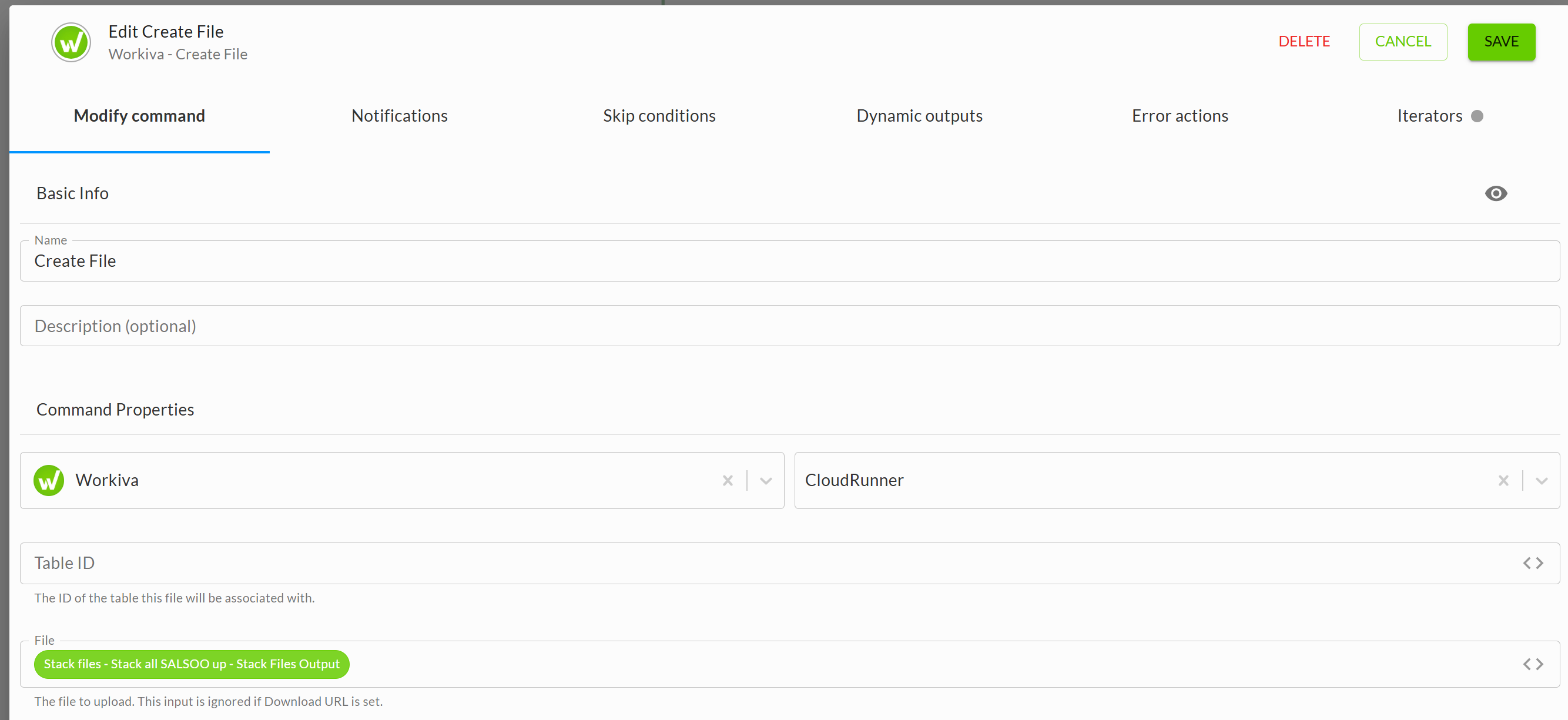 0
0
Hi Jase the Ace,
If you want to stack all of the files together from all of the iterations and then load the result to the Wdata Table, you can do that as you've described and shown in your screenshot above. One detail is that the Create File command can only use the output of one of the three Stack Files commands.
Otherwise, if you want to only get the last iteration and values of it, then you can use Variable > Group Iterator > Last Iteration to target just the last iteration.
Thanks,
Jeff0
Hi Jeff,
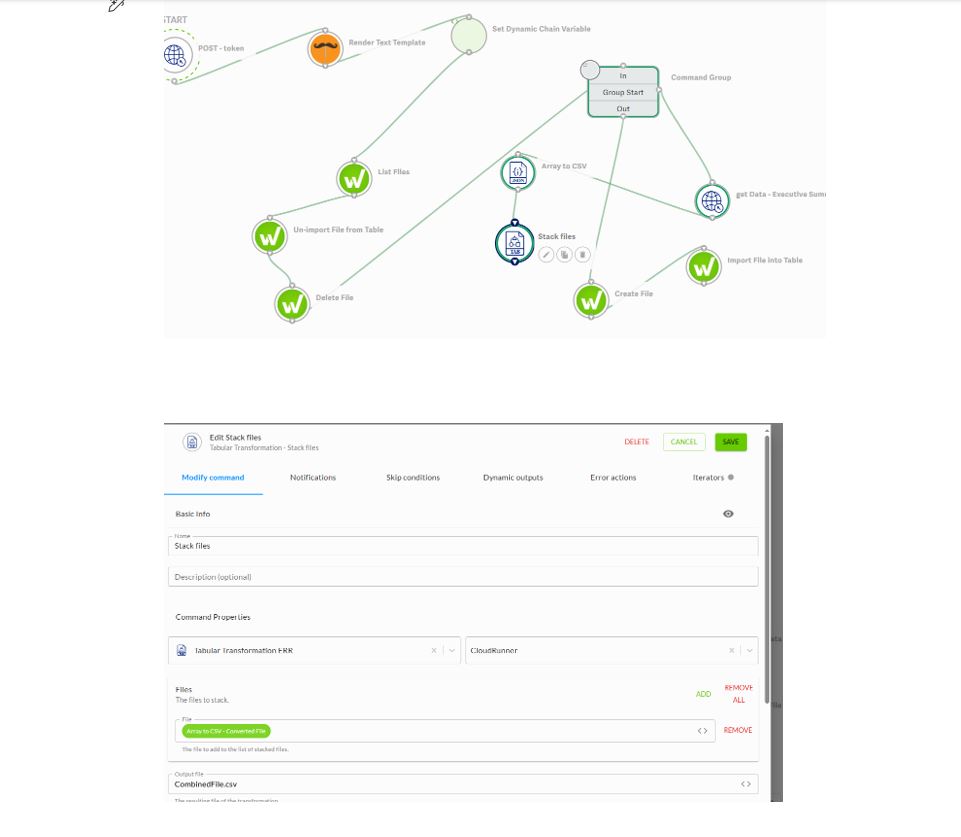
I am trying to stack files inside the command group. But i see only one file as output.
I have 3 files as input looping in the command group.
But Stack Files output is only data from first file.
Am i missing something?
Please see screenshot below.
 0
0
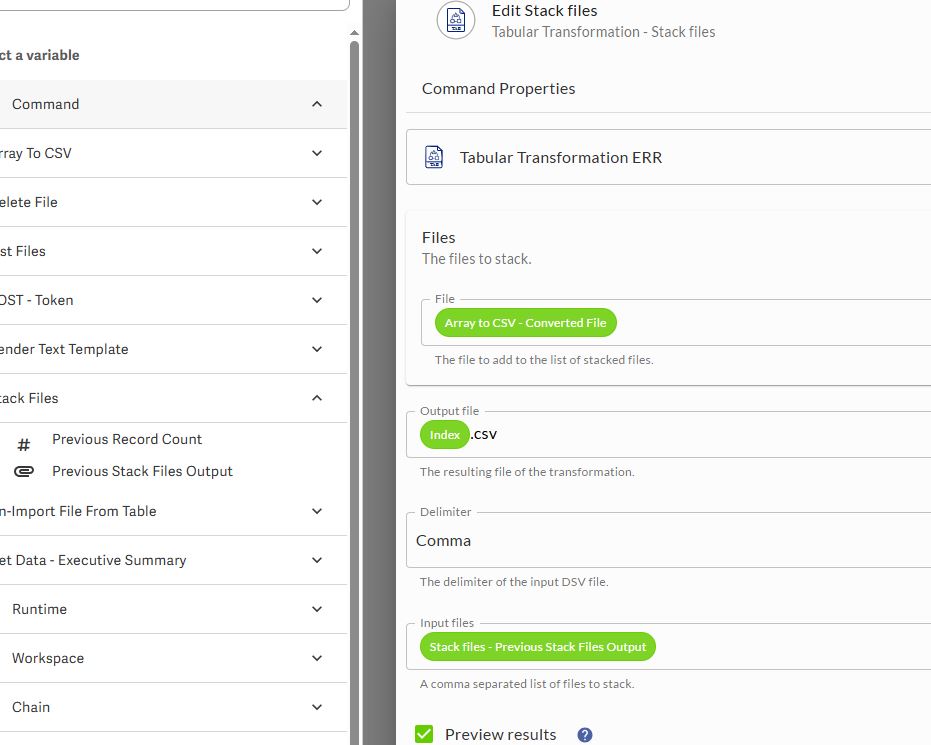
Hi Srikanth Adi, The Stack Files command will include the Previous Stack Files Output which can be used to stack a new file with the previously stacked files. This will allow you to reference all stacked files rather than just the first or last file.
 0
0
Thanks Jeff. It is working now. Hope this is the correct way.
 0
0U moet u aanmelden om een opmerking te plaatsen.
Opmerkingen
6 opmerkingen