API Token working for HTTP GET requests but not POST (Prototype API)
Hi,
I am having issues with creating a document file in the Prototype Workiva API. I can request the Access Token and use a HTTP GET Request to view all the documents in the workspace no problem. However, when I try to use a POST Request to create a new file, I get the "No valid API token provided" error, despite the fact it is using the same access token as the GET request. I have all scopes set in my Grant permissions so I don't believe this is the issue. See screenshots of my chain below:
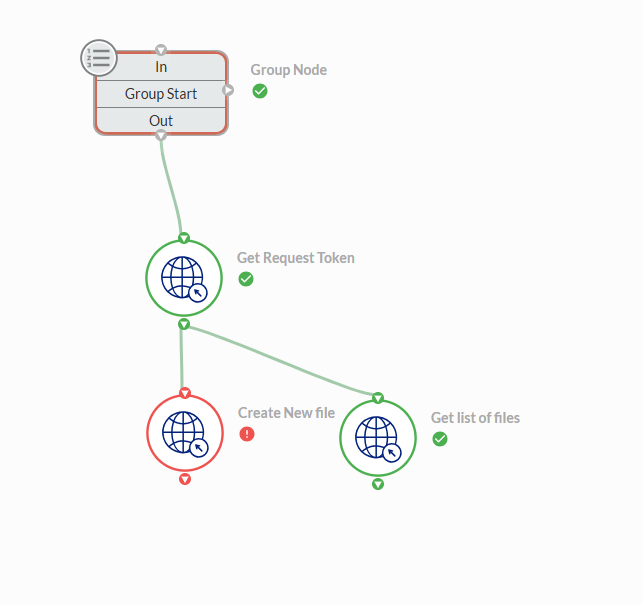
Overall chain
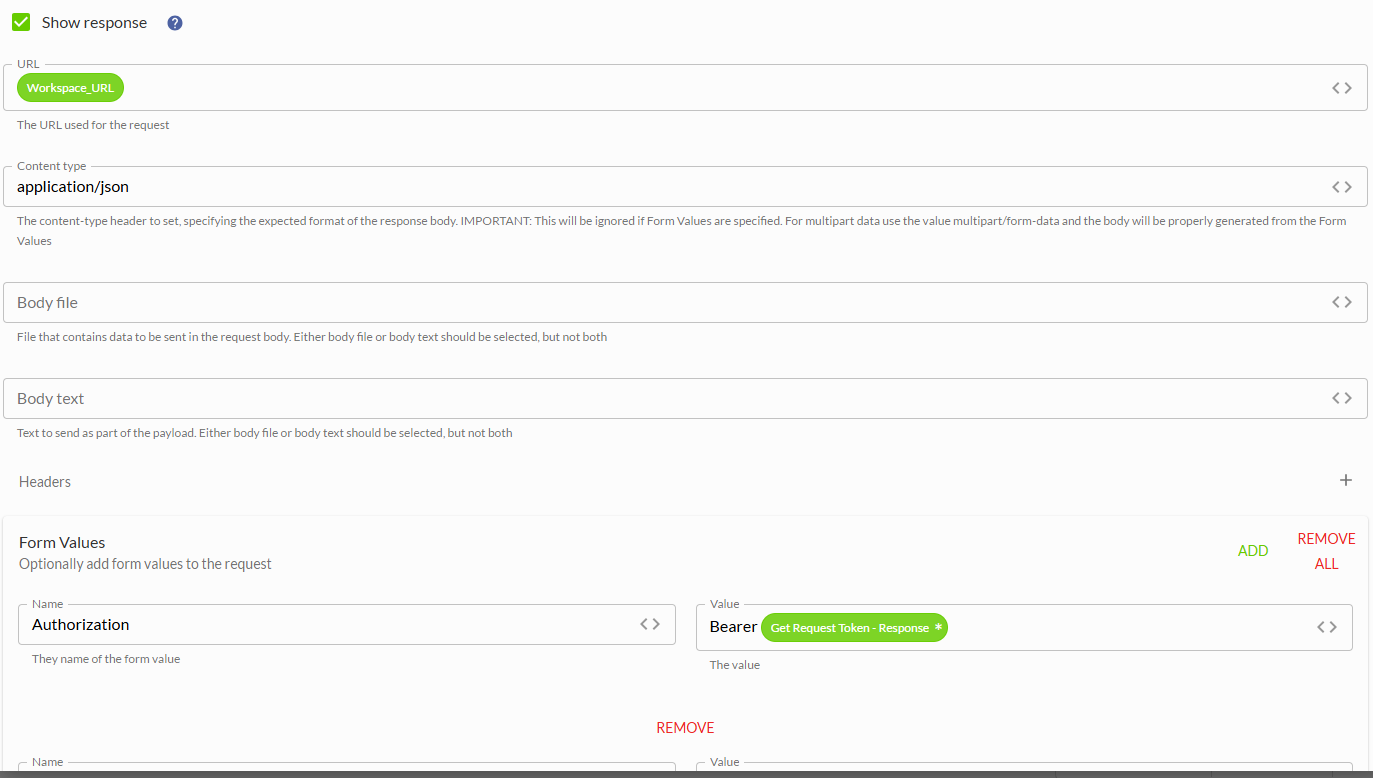
POST request to create new file (Name and Kind Body parameters also listed)
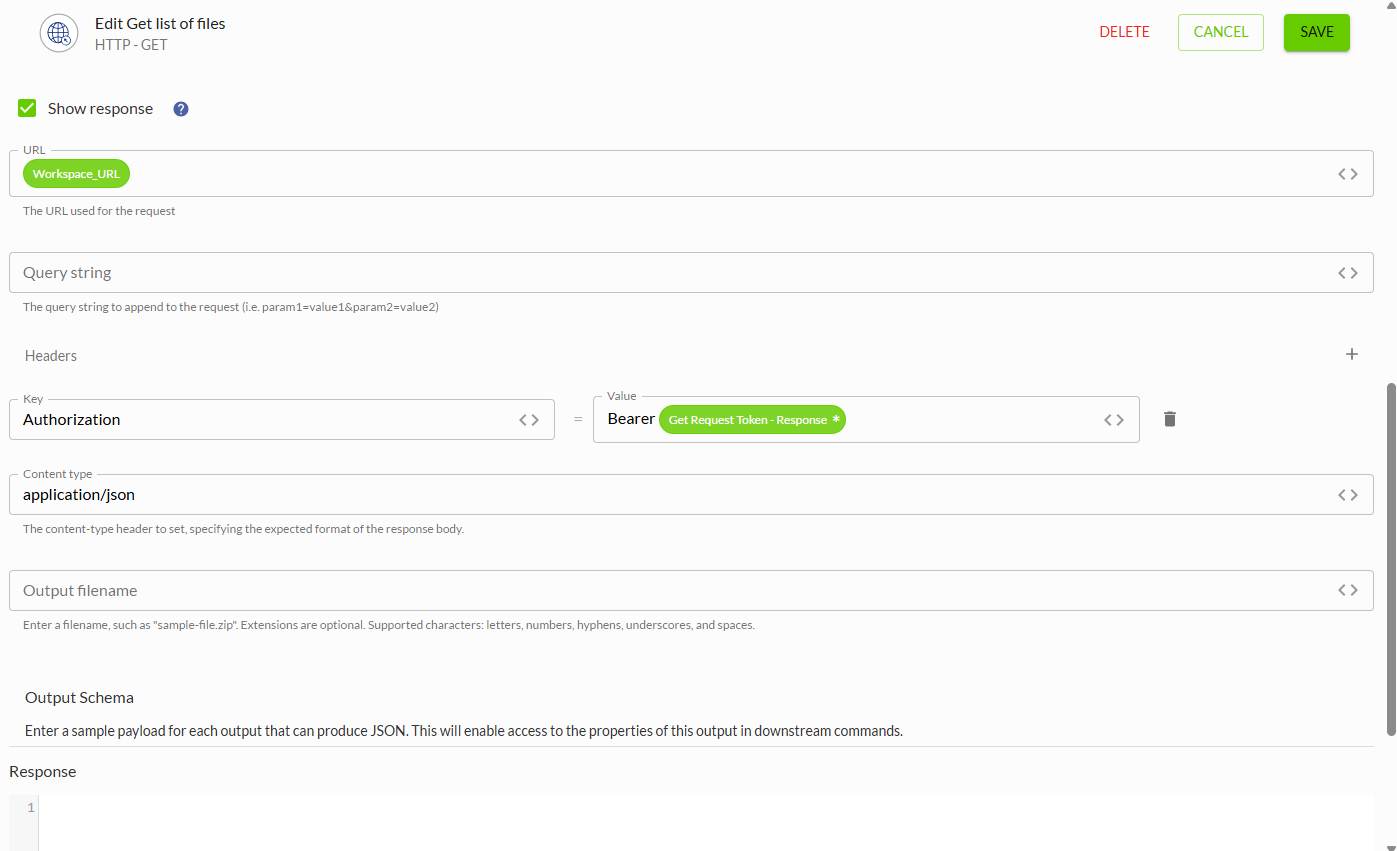
GET request to list all files, which is working as expected.
Thanks
-

Hi Thomas Jackson,
You are missing the body parameter in your request. Here is the documentation of the required body https://developers.workiva.com/prototype-platform/prototype-files/#file. Below are two examples:
Create a new document in root:
{
  "name": "2025 Year-End Summary",
  "kind": "Document"
}
Create a new folder in an existing folder:
{
  "name": "2025 Year-End Documents",
  "kind": "Folder",
  "container": "V0ZFYXRhSW50aXR5IkZvbGRlcjoxSkFGOTZGRjiENDk1Qzk4RjQ4OTgzN0M6ODdDNjZENi"
}
You should also add the header "Accept: application/json".
Adding these missing pieces should resolve your error.
Thanks,
Jeff0
Hi Jeff,
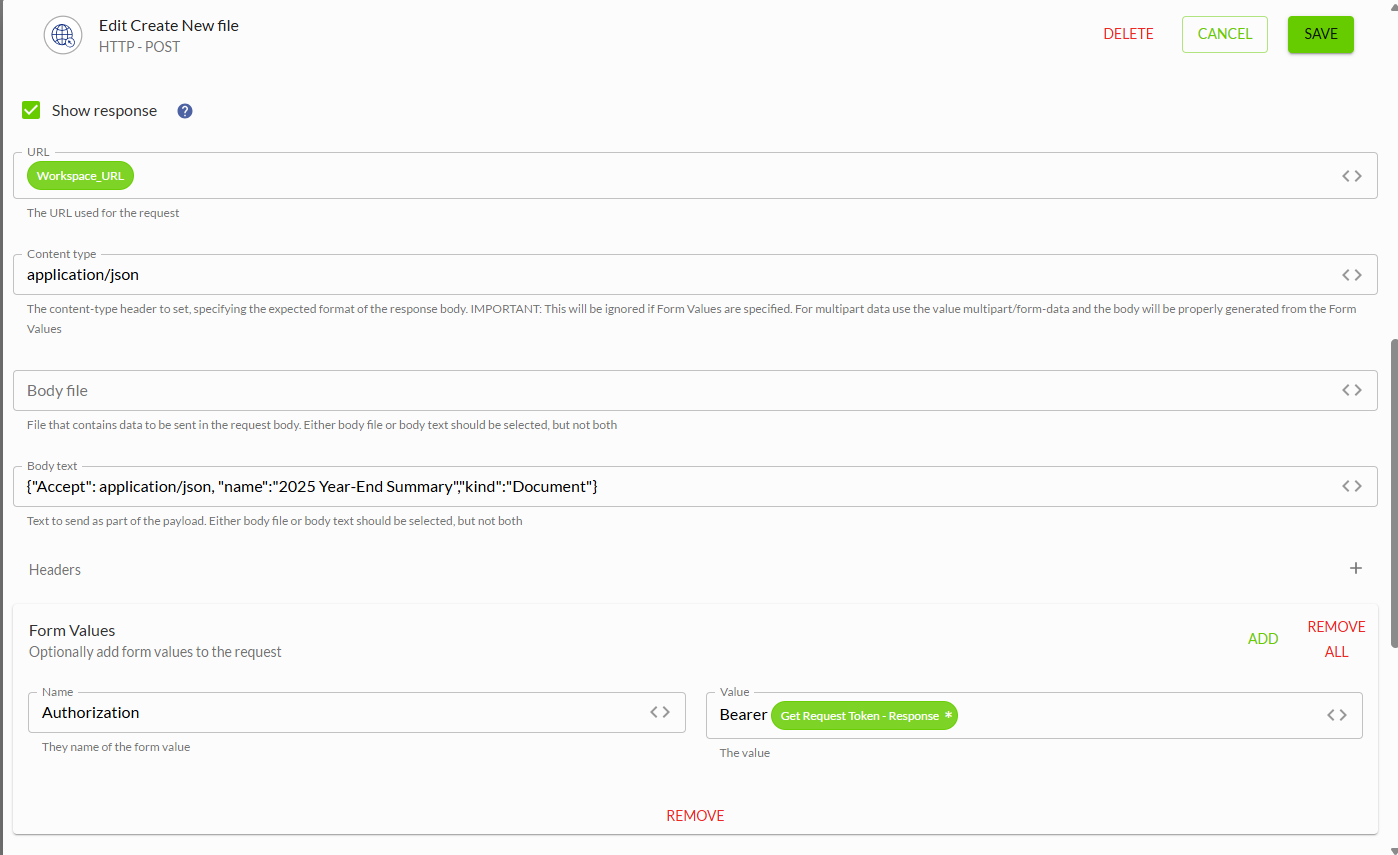
Thanks for the help. Unfortunately I don't think that is the issue. Below the Authorization key in the Form values section, I had the Name and Kind input. I've moved them to the body and added the accept parameter as well, but I still get the same "No valid API token provided" error.
Workspace_URL parameter is the following as well if that helps: https://api.eu.wdesk.com/prototype/platform/files
Thanks,
Tom
0
I think the Authorization has to be in the Headers section, not in Form values
1
Hi Thomas Jackson,
Try configuring the node like this
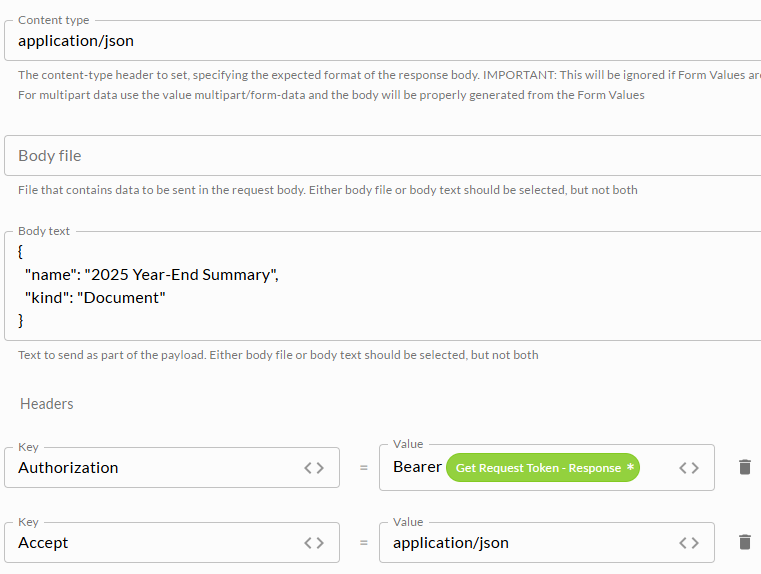
Thanks,
Jeff1
Hi Jeff,
Have it set up like this now:
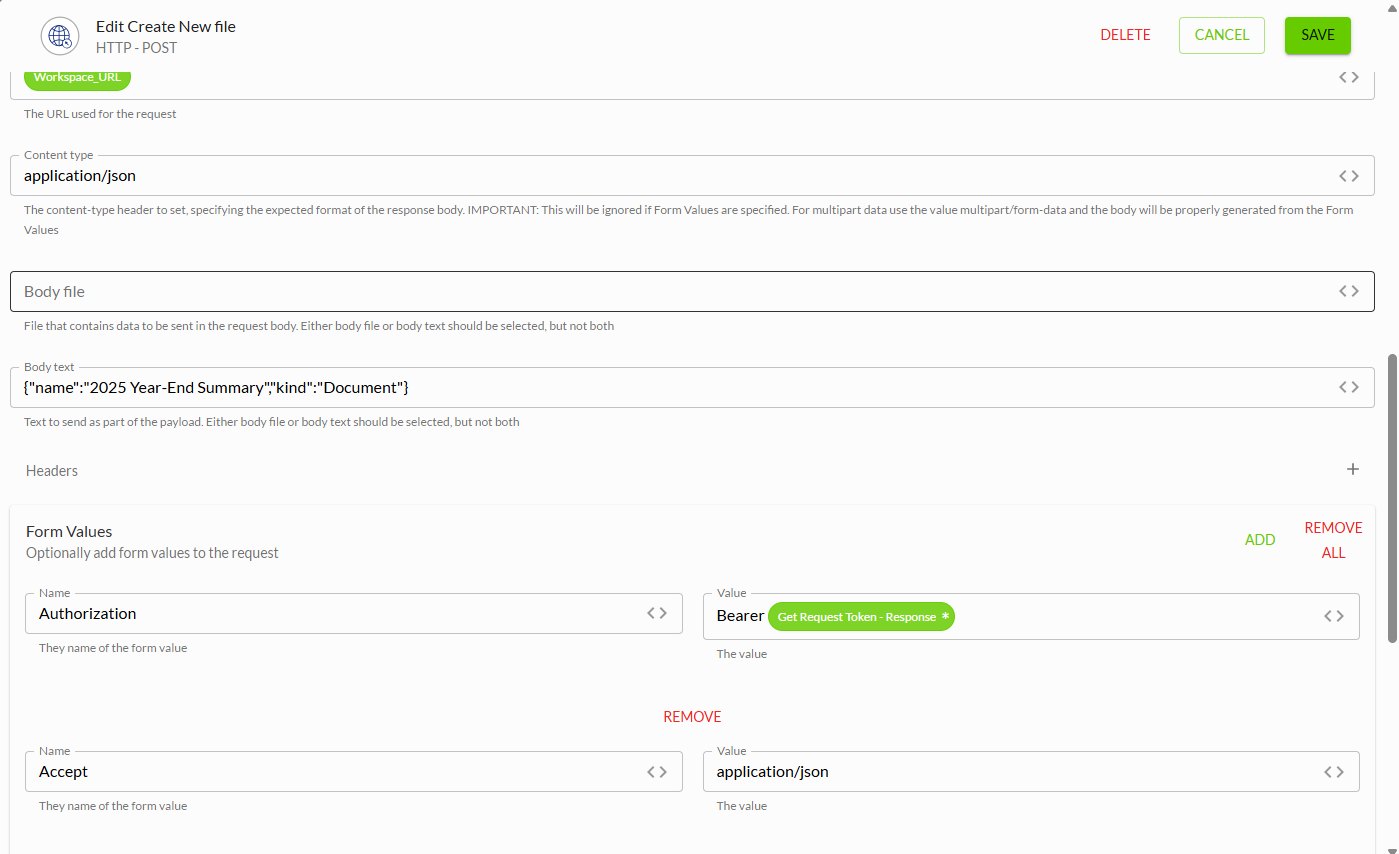
And still getting the same error. Here are the logs if it helps:
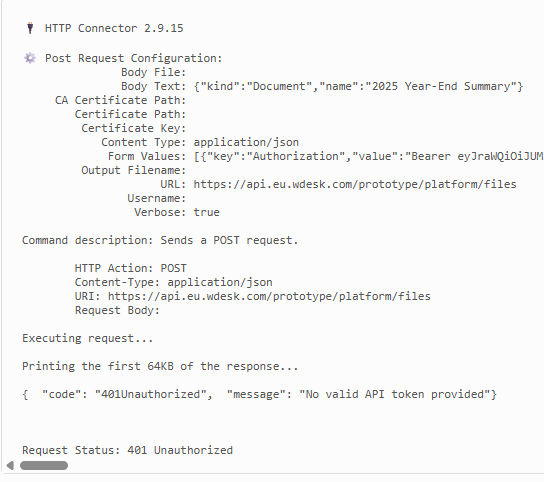 (The Accept key does appear at the end of the Form Values JSON above as well)
Thanks,
Tom
0
Hi Thomas Jackson,
In your screenshot, it shows you've added the headers into the "Form Values" section. Remove them for Form Values and add them to the "Headers" section. The API is expecting the authorization token to be sent in the header of the request rather than the body. Since the API can't find the token in the header, it is returning an unauthorized error.
Thanks,
Jeff1
Hi Jeff,
That works now, thanks so much for the help!
Tom
0U moet u aanmelden om een opmerking te plaatsen.
Opmerkingen
7 opmerkingen