SFTP List Directory
BeantwoordHi
How can I save List Directory output to a file (1 file name per line) without having to iterate over each item in the array output?
I
-

Hi Chad -- you can use the Array to CSV command to organize the list, and just create a column for the filename. You could then write that data wherever you'd like it (e.g. Write Sheet Data to a spreadsheet).
0
Hi Will Russell
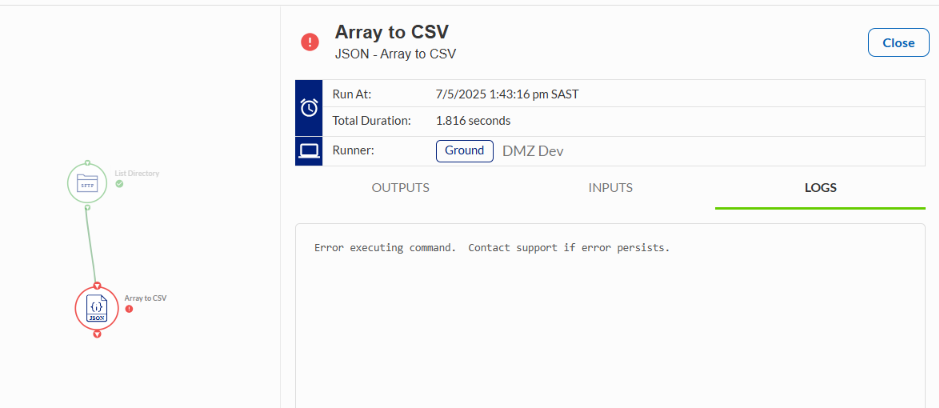
What should be used in the JSONPath field?I've tried ".", "$[*]" and left the field blank, but neither of these work.
 0
0
Hi Chad,
I leave mine blank, and it works.
I use the Remove Files output from the List Directory command, then have a column called "Filename" but leave the JSONPath blank. I didn't change the Multi-value Delimiter (",") or the Delimiter fields ("Tab").
If that doesn't work, feel free to share an image with the configuration of your Array to CSV command and hopefully we can see where there issue lies.
0
Hi Will
I've tried your suggested configuration - no luck I'm afraid.
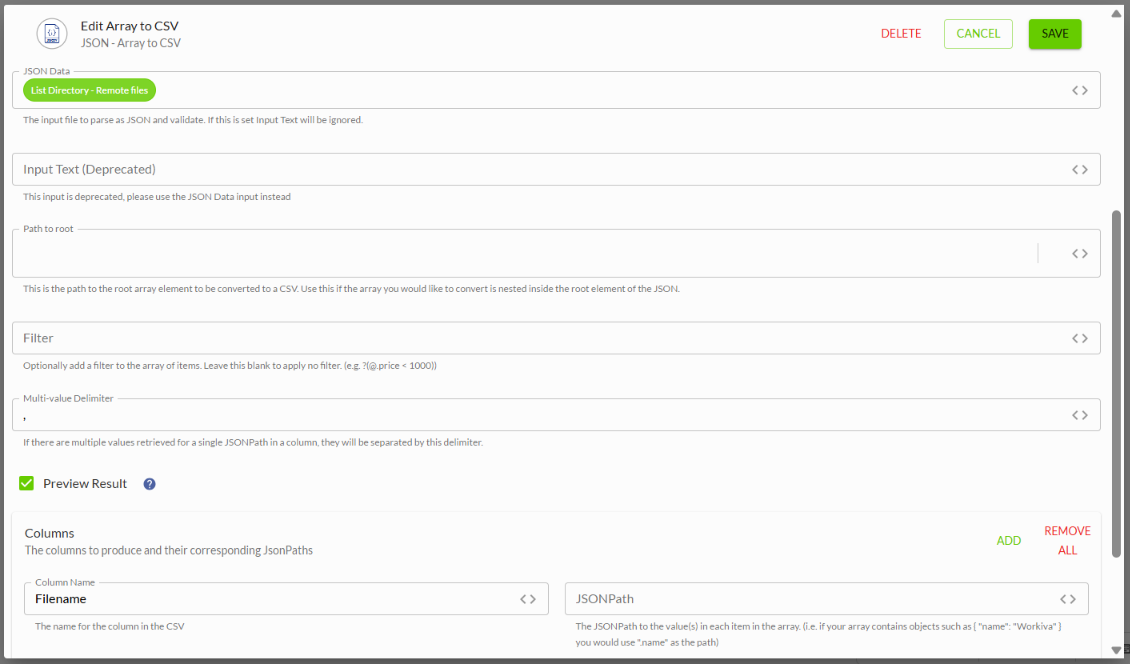
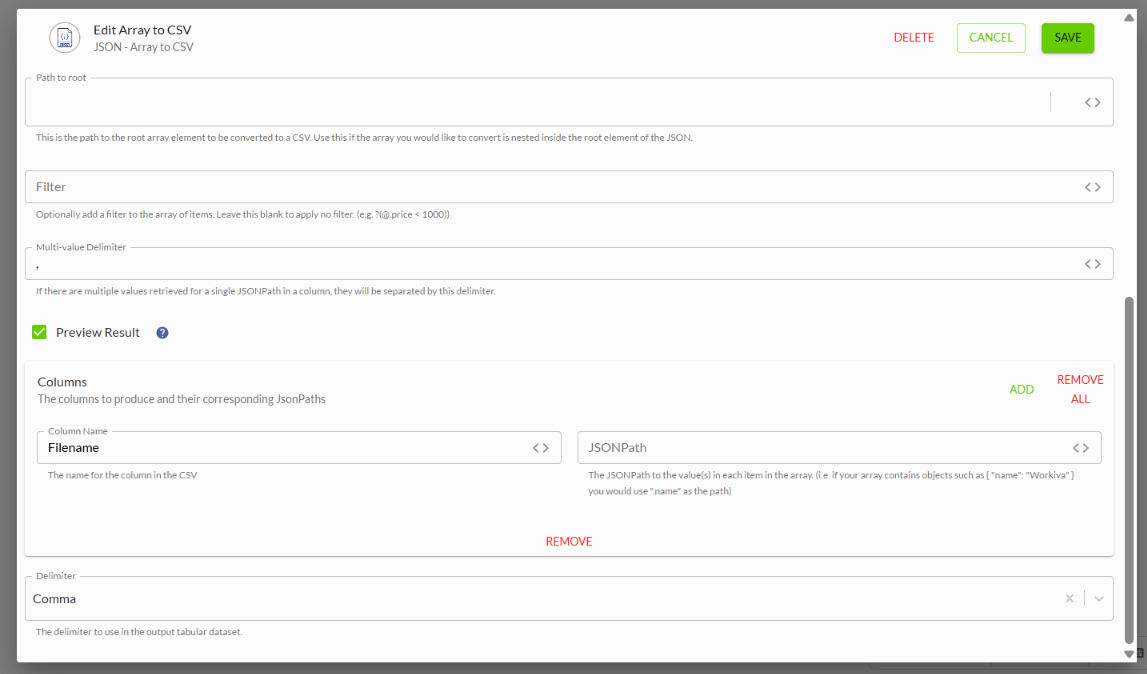
Here's my configuration:
 0
0
Hi Chad Weber,
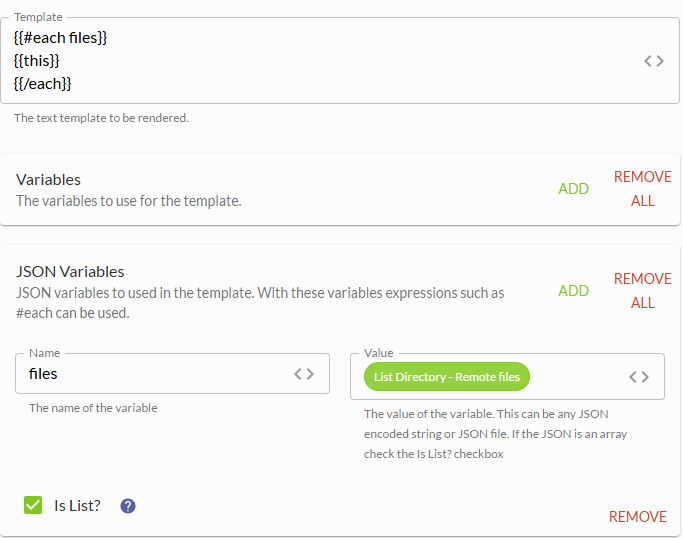
Handlebars would be a great option to achieve this. The template would look something like this:
{{#each files]}
{{this}}
{{/each}}You can use either Render File Template or Render Text Template. Render File Template will produce the output as a file while Render Text Template will produce the output as text. If you are unfamiliar with Handlebars, I recommend Get Started with Handlebars in Chains.
The screenshot below shows how Render Text Template may be configured.
 0
0
Thanks Jeff
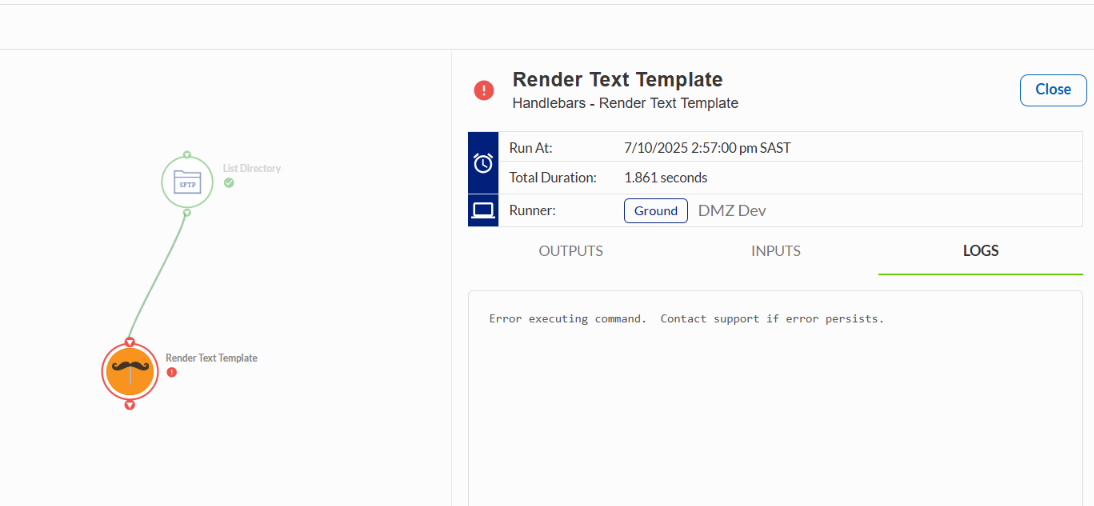
I've tried your Handlebar approach, but it doesn't seem to work either.
I'm wondering whether the error is caused by the number of the files in the remote folder? There are around 34,000 files.Or perhaps one of the file names contains a weird/special character?
My command configuration is exactly the same as yours.
 0
0
Hi Chad Weber,
The Render Text Template command is limited to 32,000 characters of output. Since you will be exceeding this limit, you will need to switch to use the Render File Template command. The same template can be used, except you will need to pass in the template to command as a file.
After switching to Render File Template, if you continue to receive errors, could you please also include a screenshot of the List Directory output (with any sensitive/private information redacted) as well as the Render File Template command configuration.
I also noticed that you are using GroundRunner. While GroundRunner is completely fine to use, typically CloudRunner is used with connecting to an SFTP server and other online or cloud based system (for background on the two runner types, see Demystifying CloudRunner and GroundRunner). I don't suspect that this is the source of the error, but it is good to check if you are switching between CloudRunner and GroundRunner within the commands in your Chain. A general rule of thumb is if you must use GroundRunner at some point in your Chain, stick with GroundRunner for all commands in your Chain.
0U moet u aanmelden om een opmerking te plaatsen.
Opmerkingen
7 opmerkingen