Link with Validation
BeantwoordHello,
I require assistance with linking data between two Workiva workbooks. Specifically, I have a data validation rule (dropdown list) implemented in a cell within the workbook named 'A1'. I need to transfer the selected value from this dropdown list in 'A1' to a specific cell in another workbook named 'B1'. Could you please provide guidance on the most effective method to achieve this?
-

Hi Katie! Welcome to the Community 👋
Thanks for the question. Happy to help here.
Are you looking to copy the Data Validation, or just link the value in that cell? Either way, both are possible. Here's how.
Workiva Spreadsheets allow you to copy and paste Data Validations, and of course, link.
From the source workbook in cell A1, copy that value (CTRL+C). You should get the dotted blue outline, like so:

In the second workbook, in cell B1, paste your value (CTRL+V). You should get a clipboard of options, like so:

To paste the data validation, you can choose Apply Data Validation option. Uncheck it if you do not want to paste that. If you wish to link the value itself, you would choose "Create links from" and then choose "Cells with Values". This will make a blue link in your source (workbook 1) and in the destination (workbook 2), the indicator is green. These cells are now linked.
Is this what you are looking to do? Let me know if I've missed the mark or you have any follow-ups for me. Thanks again and have super day!
0
Is there a way to link the blank cell to the second sheet. Make an update on the fist workbook and have it show up on the second sheet? After the selection has changed, the link is broken.
Sheet1

Sheet 2

Sheet 1
Sheet 2
 0
0
Hi Katie!
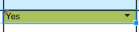
What you are seeing there, in the Sheet 1 example of "Yes", it has a orange/red indicator that the cell is updated but not yet published. In the source file, you have to click the option to Publish in the upper left. That will push the change to the destination.

You should then see the value "Yes" appear in Sheet 2.
Did that solve your issue? Let me know either way, or if you have any follow-ups for me. Cheers!
0
Opmerkingen
4 opmerkingen