Checking the line width and colour of a table
Hello everyone, how can I find out which line width and colour have been selected for an existing line in an existing table?
At the moment I can only find this out visually. Is there a way to specify which values a table line has?
Many thanks for your support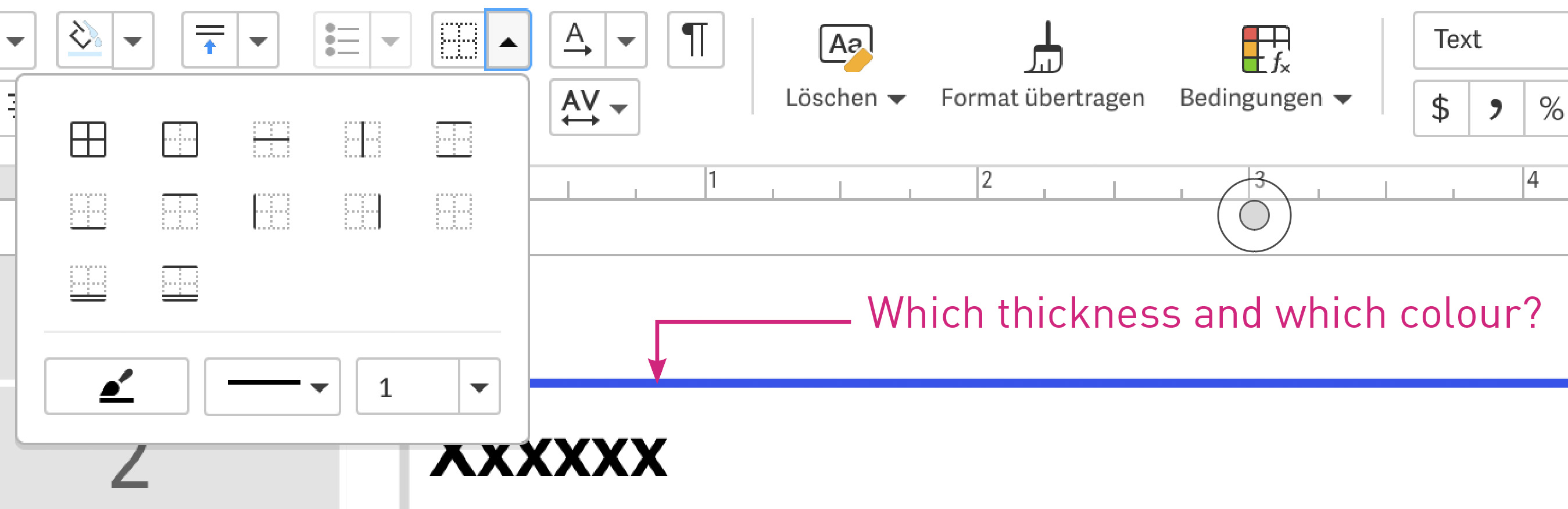
-

Thank you for bringing this pain point to our attention, Martin Baars !
Currently, there isn't a way to view the hex or RGB color values of the existing file colors in Workiva. I've run across this issue myself while setting up documents. As a workaround, I've downloaded a color picker tool that I can use to identify color codes by hovering my cursor over them. Unfortunately, I'm not aware of another way to achieve this within the platform right now.
I've documented this as an improvement idea and will share it with the team for review. We appreciate you highlighting this need!
For others passing by, please comment if this feature would benefit you as well. Your feedback helps us prioritize improvements.
Thanks again for sending this over, Martin. Have a great day!
0
This is something that really needs to be fixed. You can hover over a colour in My Colours or File Colours to find colour breakdown but in Paragraph styles you can't find the colour used. This would be really useful if you have two similar colours.
0댓글을 남기려면 로그인하세요.
댓글
댓글 2개