Comment Filter Options When Exporting PDF
완료Currently, when exporting a document to PDF with comments, all comments are included by default — even those already marked as resolved. This can create confusion, especially in collaborative workflows where some comments are meant for internal discussion and should not be forwarded to other departments.
I would like to suggest adding a comment filter option in the export settings, allowing the user to choose:
-
Only open comments
-
Only resolved comments
-
All comments
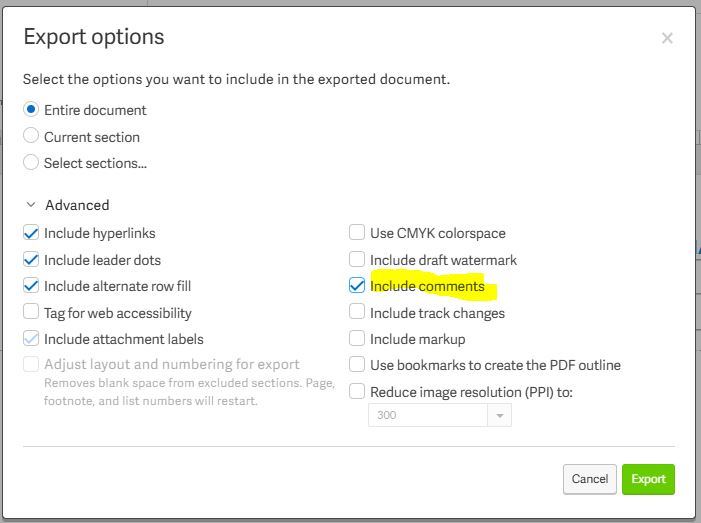
This would be especially helpful in cases where internal comments (e.g., within the Policies team) need to be retained for future reference, but should not be visible to other areas. Such a feature would support cleaner document sharing, better confidentiality management, and greater focus for external reviewers.
-
공식 댓글

Hi there Community enthusiats, I have some exciting news to share!
The ability to filter comments on PDF exports is now supported in Workiva! Any filters applied in the comment panel will now be respected on PDF export. You can learn how to Filter and Export Comments here.

Filtering comments that show up in the PDF would be very helpful! We currently have to manually delete comments when sending to specific departments or people, so they don't see all the comments that aren't related to their review.
1
Thanks for sending this improvement idea our way. This would be an awesome feature to have! I have sent it to our development team for their review, but it's not guaranteed for implementation. Thanks again and have a great day!
1
Thanks for chiming in here! I appreciate the feedback and have sent it over to be reviewed as well! Thanks again & Have a great day!
1
Hi, thank you - this would be very helpful! Would it be possible to add in this filter also users or groups e.g. include comments from the auditor, ... thank you, Annemarie
2
Great news! This suggestion has been added to our future roadmap. I don't have any specific timelines as of yet but this is a step in the right direction. We'll continue to take new requests here and will keep you apprised of updates on the status. Thanks as always and have a super day!
1
Hi Mike Davis
Thank you for your comment. Do you have any updates regarding this function? We need to be able to send the review file to the auditors excluding the resolved comments. This will help us avoid working with various separate documents.
Thank you!
1댓글을 남기려면 로그인하세요.
댓글
댓글 7개