Refresh all datasets button n Wdata needed ASAP!
回答済みWithin Wdata, please create a refresh all button to simultaneously refresh all datasets within a table.
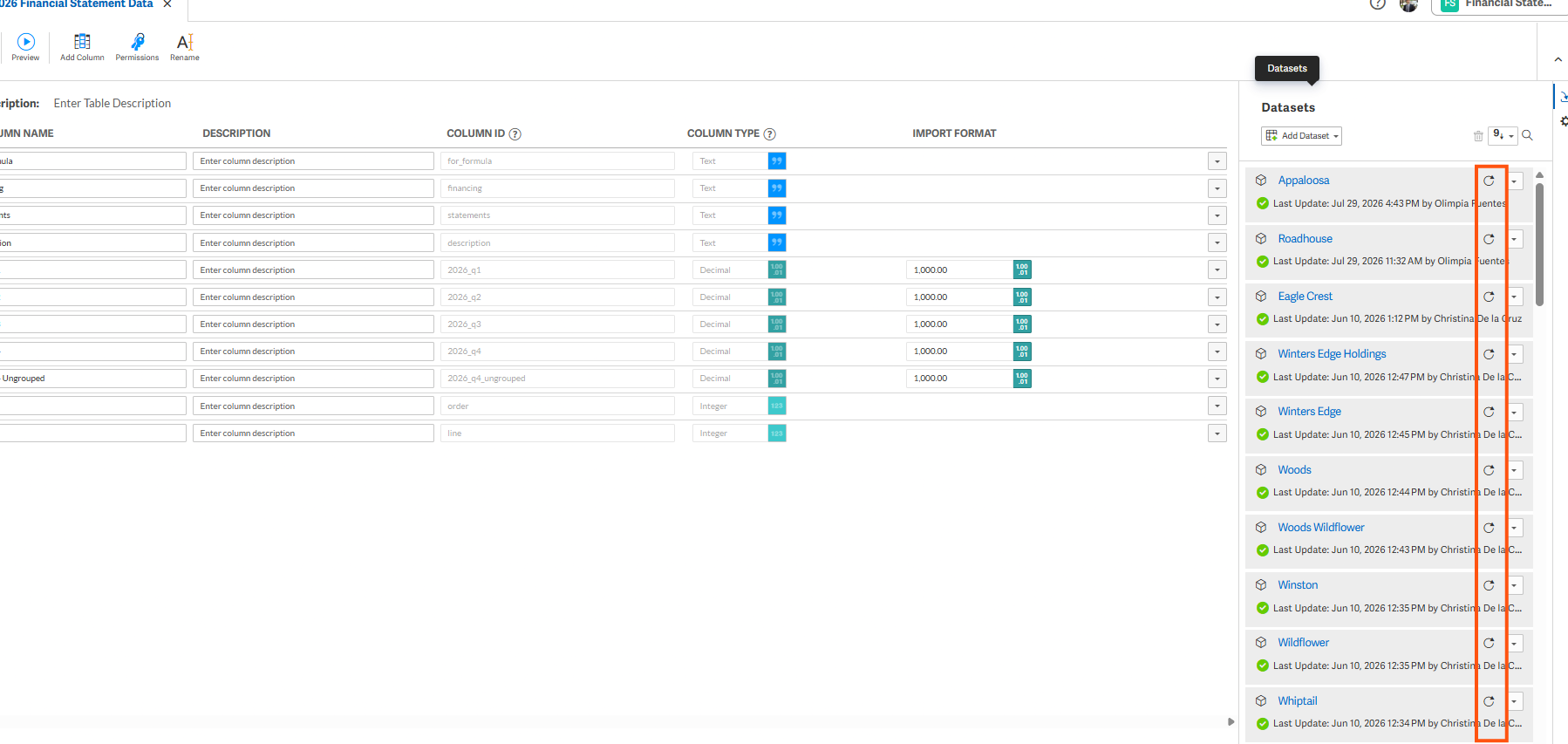
In my screenshot, you will see multiple datasets with refresh buttons (circular arrows indicated with red box). There needs to be a refresh all functionality. There is no reason why this cannot be coded by Workiva engineers. My table has hundreds of datasets, and currently my team needs to manually click each individual refresh button in order to refresh all datasets, so the table reflects changes that occur within connected workbooks.
-

Hi Sean Colon,
Here are a couple of workarounds you can try:
Option 1 - Refresh from the Spreadsheet
If you have access to the Sheets that the connections are connected to, and they’re all within the same Spreadsheet, you can refresh all the connections directly from the Spreadsheet.
See Refresh outgoing connections for more information.
Option 2 - Use a Chain
You can also build a Chain to handle the refreshes for you.
See How do I refresh an outgoing connection using a chain for an example, and CLP - Refresh Connection using ID> for a tutorial.
0サインインしてコメントを残してください。
コメント
1件のコメント