how to identify queries/tables/spreadsheets linked to a chain, based on the ID
回答済みI am trying to refresh a chain that was created by a colleague who is on PTO right now.
it keeps failing at the "import file" step.
I don't know to which file/query/table this step has been linked. I only have the ID. How can i trace back the source of that ID?
This is the error i get
Error: current file status is IMPORTED but must be one of [STAGED]
. Code 400
-

Hi Kelly,
To find the source of the ID, open your chain run from the monitor, and look at the Inputs tab of the "Import File" command step. This will show you the table ID the command is attempting to import the file into. From there, you can open any table in your workspace, and replace the last part of the URL with the table ID you found in the command to navigate to that table.
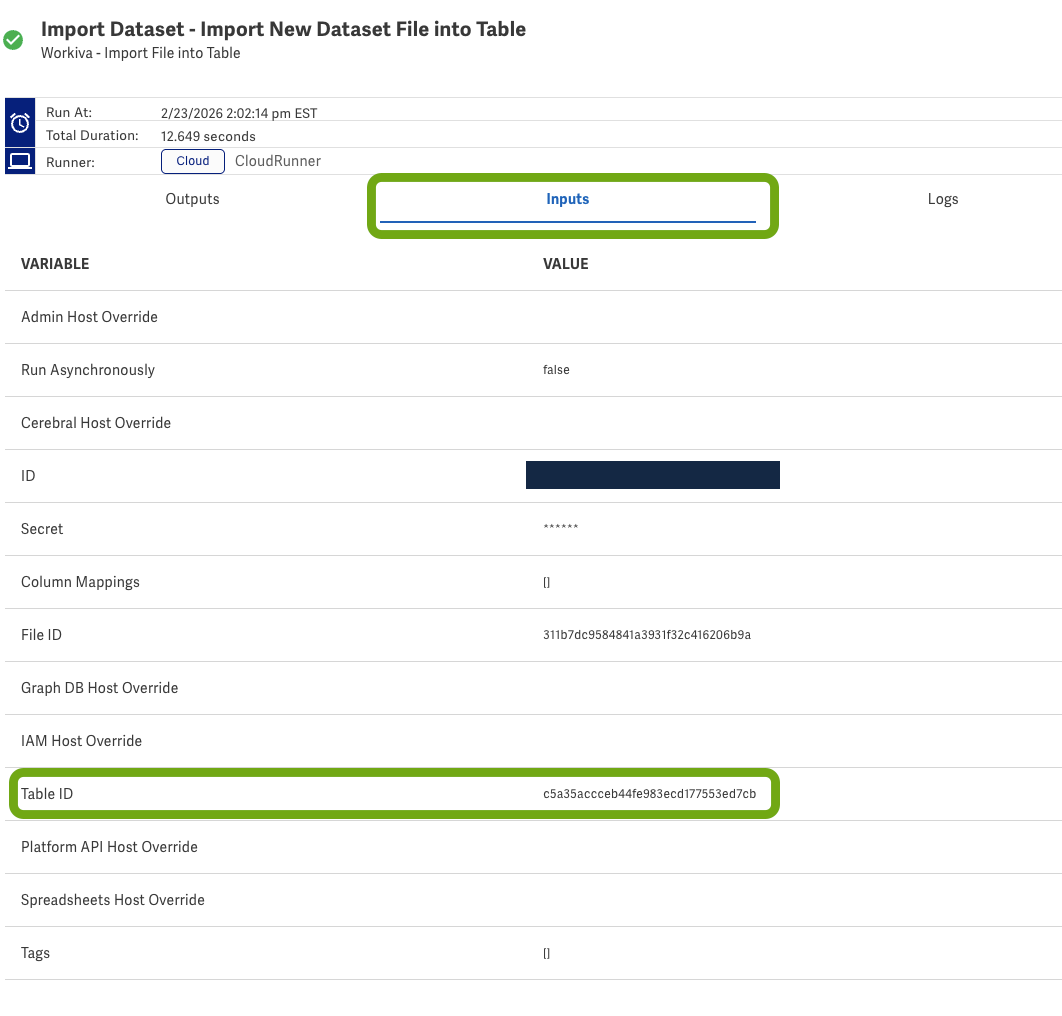
About the error:
The error message "current file status is IMPORTED but must be one of [STAGED]" is telling you that the file has already been imported into the system. The Import File step expects a file in "STAGED" status, but yours is showing as "IMPORTED."Wade
--
Wade Hays - https://towerturn.com/services/dedicated-expert 0サインインしてコメントを残してください。
コメント
1件のコメント