Skip Conditions: Not to Be Skipped, But Definitely Worth Considering!
While Skip Conditions are all about skipping specific steps in your chain, don’t skip over the importance of understanding how to use them effectively!
Workiva Chains allows users to automate and streamline their workflows by chaining together a series of commands. One capability in Chains is Skip conditions - providing flexibility with control over the flow of execution to skip commands under specified conditions.
Within each Chains Command (with the exceptions of Trigger Events, Command Groups & Chain Events) is the Skip conditions Tab.
Users can decide to enforce a specific result for the chain command where Skip Conditions is set up, and choose between Success, Warning, or Error based in a single Rule and/or group of Rules.
Here are a couple of examples:
Example 1:
I want the Create File command to Error when there is no data (Record Count <1) in the file so that a file will NOT be created: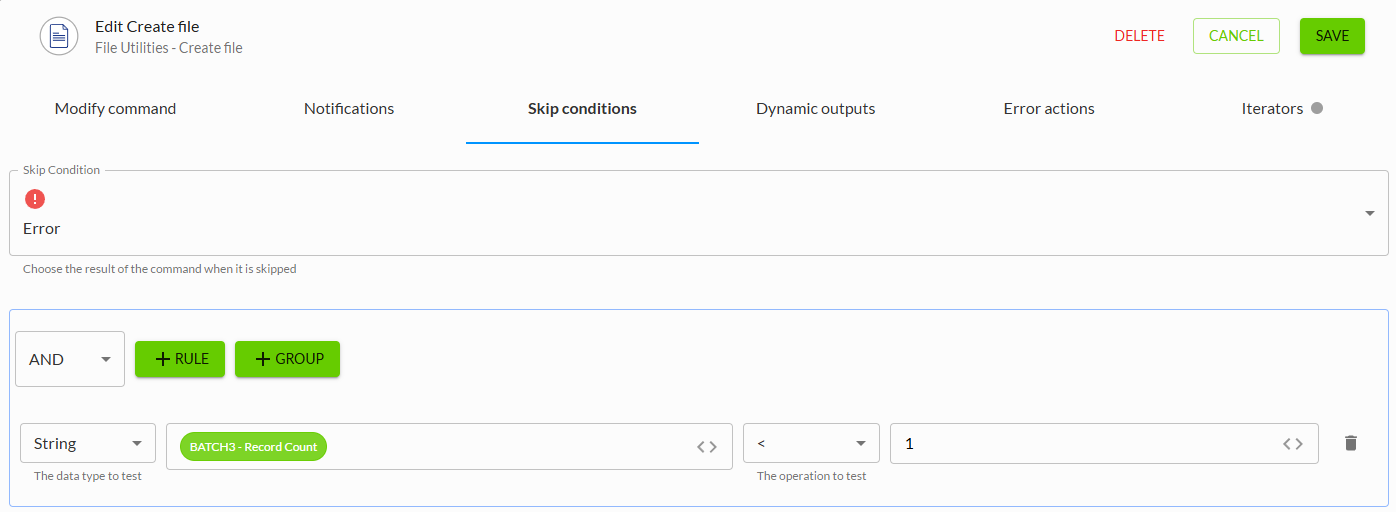
Example 2:
I want the Publish Spreadsheet command to return a Warning when at least 1 of the connections failed to refresh: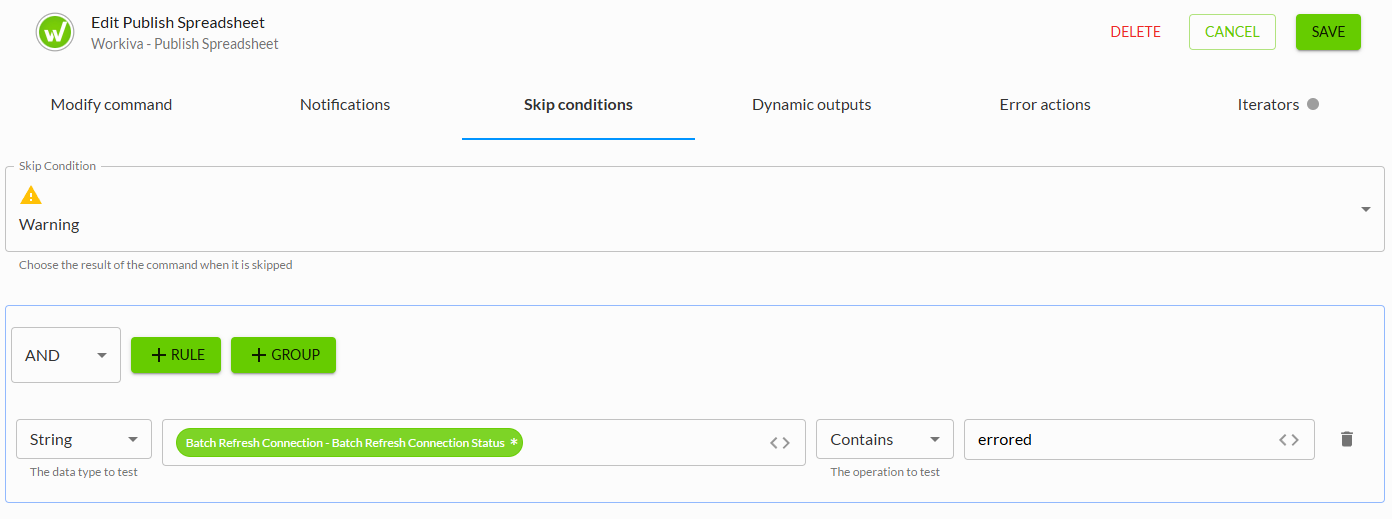
Have questions about Skip conditions? Leave a comment below or reach out at connected@workiva.com.
Vous devez vous connecter pour laisser un commentaire.
Commentaires
0 commentaire