Tips for Tasks
Hi everyone!
I manage my company's sustainability program, so I’m constantly trying to keep a pulse on where all of our data collection efforts stand. I need to be able to quickly answer questions like:
- What’s overdue?
- Where are things stuck?
- Who has what right now?
- How do I easily see overall progress?
I know the Tasks Experience has gotten a lot of updates this year, and I’d love to hear how others are actually using it day to day. I still feel like I’m struggling a bit to turn it into a really effective tracking tool for managing everything across the program.
For those of you managing large or complex sustainability processes, what’s working well for you? Any best practices, views, filters, dashboards, or workflows you rely on to stay organized and keep visibility into all the moving pieces?
Would love to learn how others are approaching this!
-

Carrie Klosterman, Molly King - Thought you may have some insight on this tip request?
0
Hi Audrey Murdock! Love this question! Having supported Workiva users for 13 years on our CS team, and focusing entirely on Sustainability for the last four, I know firsthand that managing tasks in a massive sustainability program is no joke.
The good news is that adjusting these filters only impacts your personal view, so you can safely test different setups without affecting the rest of your team.
. Here is how you can configure your workspace to answer those exact questions:
-
"What’s overdue?" Use the Due By filter to flag incomplete tasks past their deadline, and layer on Date Created to focus strictly on your active reporting cycle. (For more information, check out our Help Article: View Tasks and their Details)
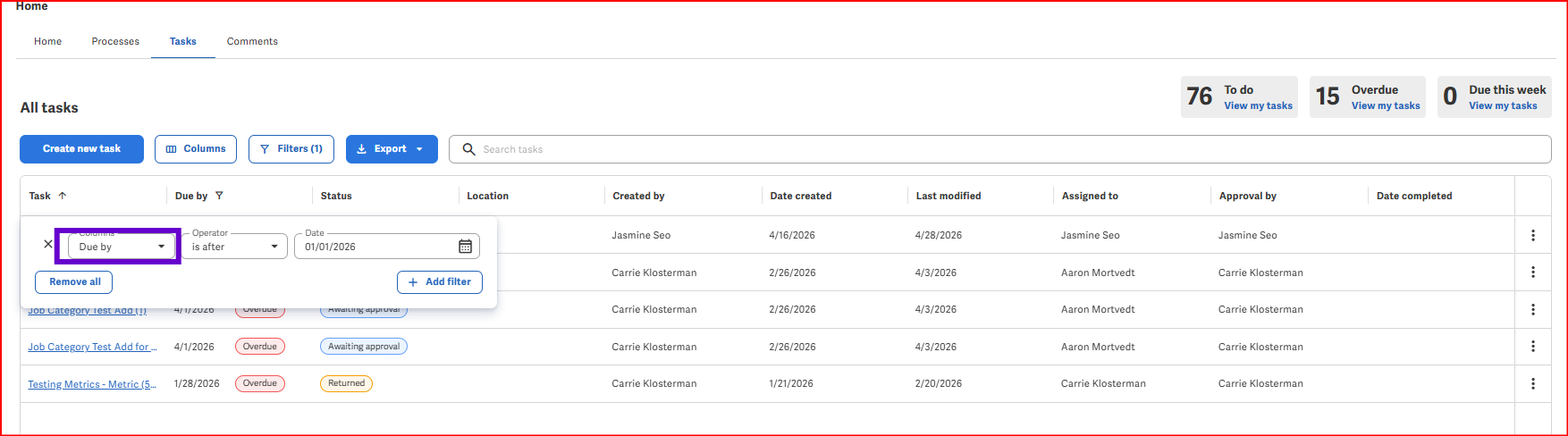
- "Where are things stuck?" Add Last Modified as a column in your Tasks view to instantly pinpoint stagnant tasks that haven’t been touched in a while.
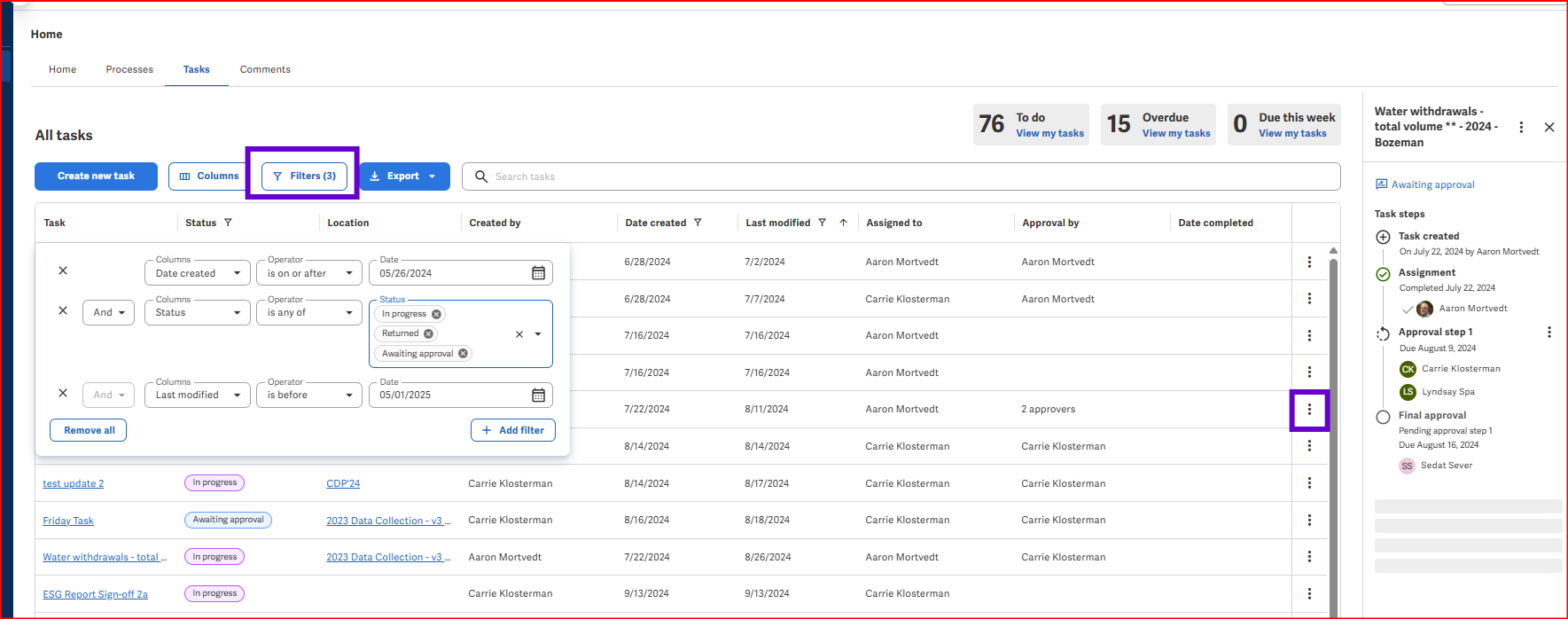
- "Who has what right now?" Filter Status by In Progress, Returned, or Awaiting Approval. This is where you can see exactly which approval step a task is on (a highly requested item!), as the view displays the specific approver or assignee name for that active step.
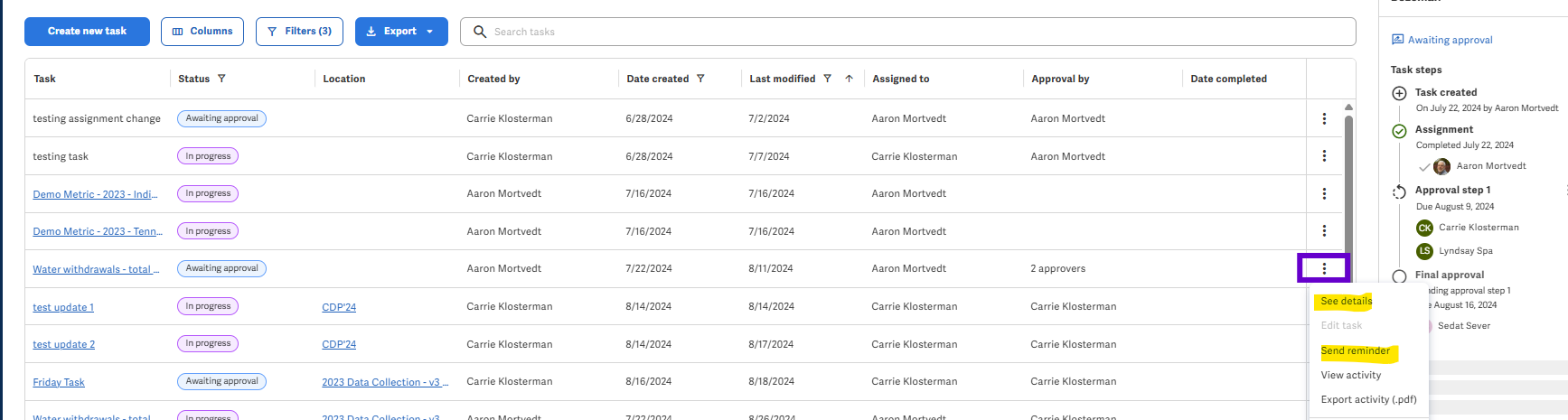
- Success Manager Tip: From this view, you can easily drill into the details, export the data, or send a quick nudge to assignees directly from the Tasks widget on your Home page.
- "How do I easily see overall progress?" Head over to your Home Dashboards. Use the Program Topic Tracker to view visual assignments filtered by framework tags like ESRS, GRI, or CDP, and use the Program Status widget to track macro progress so you know exactly how close you are to completion. (Learn more in our Help article: Track Sustainability Program Metric Tasks)
Audrey, give these a spin and let us know what hits the mark! If you spot any feature gaps, let’s brainstorm them here so we can help others and identify improvement ideas for our Product team!
To the rest of the group: What specific filter combos or dashboard setups are saving your sanity during this reporting cycle? Drop them below!
👉 Hit the Follow button at the top right of this post to stay notified as your peers share their go-to workflows!
0
Thanks Carrie!
0
Margaux Sellnau and Allison Vanderspool please take a look at this to see if this will help you to see which approval step a task is in, and please provide feedback on your experience.
0
This issue is really relevant for us too!
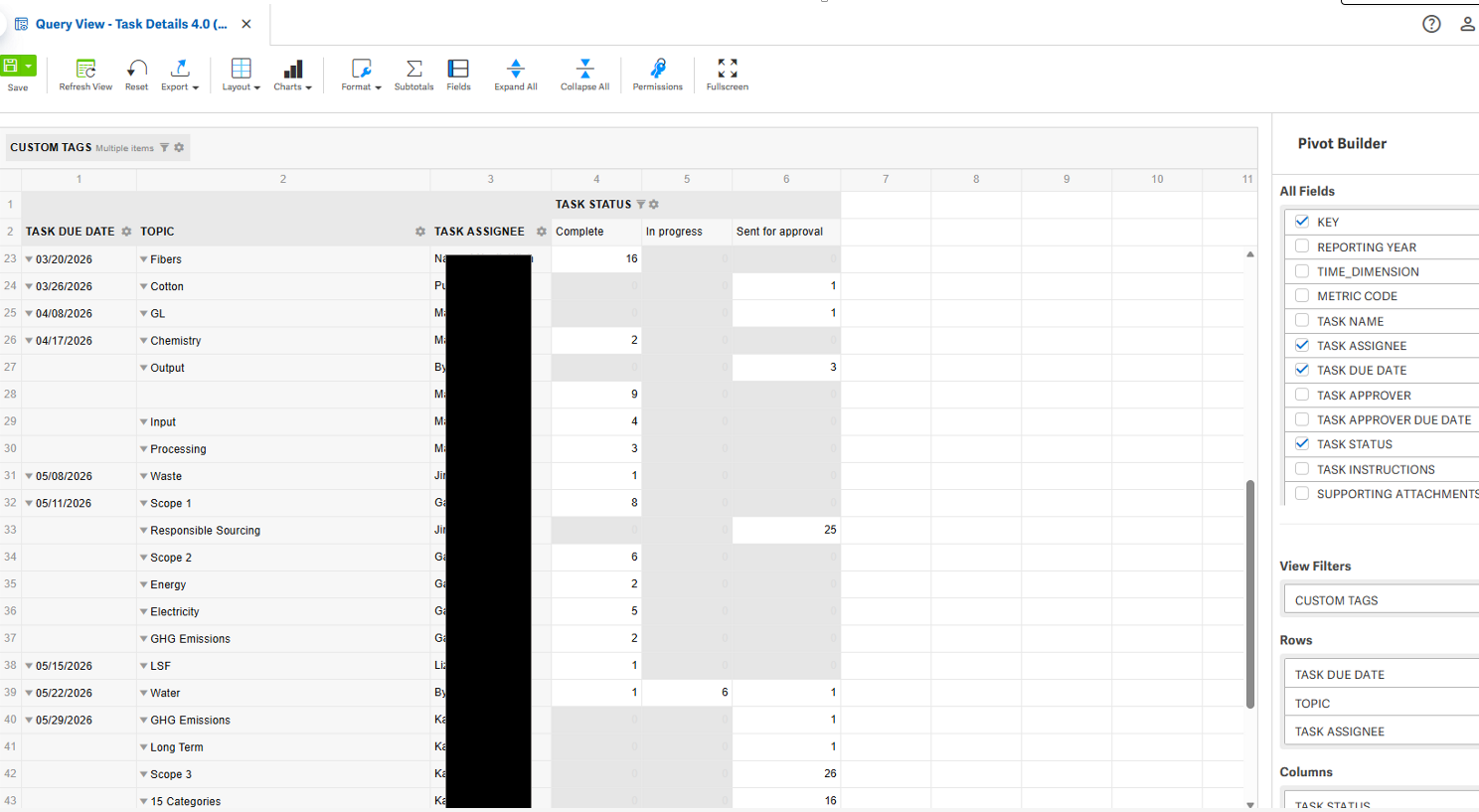
I was struggling to use the task filtering functionality because I wanted a 'saved' view that didn't need to be re-created constantly. The best solution I've found is to make a "Query View" pivot. Sadly this only helps me as the owner of the query view, and it's not shareable. I've raised a few idea tickets to try and get a better solution - but it works really well for me to track # of tasks/metrics, by dates, status, and people in one view.
 1
1
Comentarios
6 comentarios