Pipelines
RespondidaHi
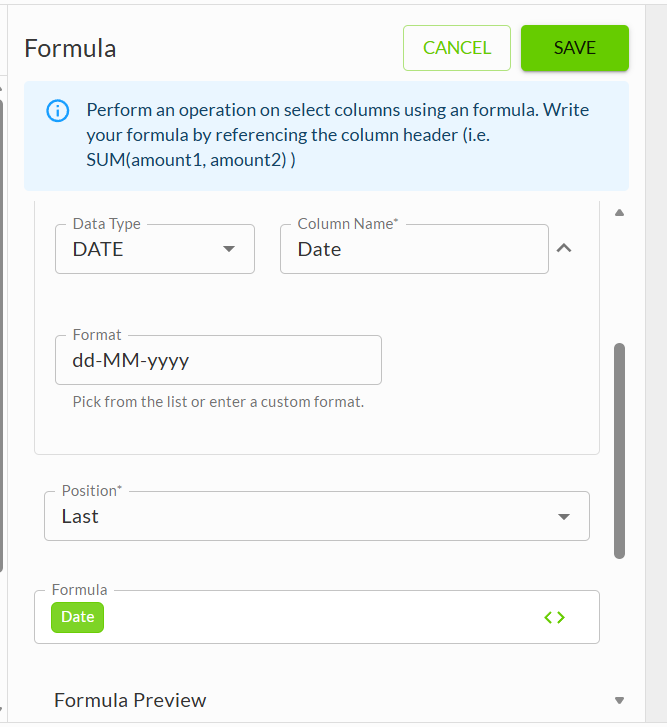
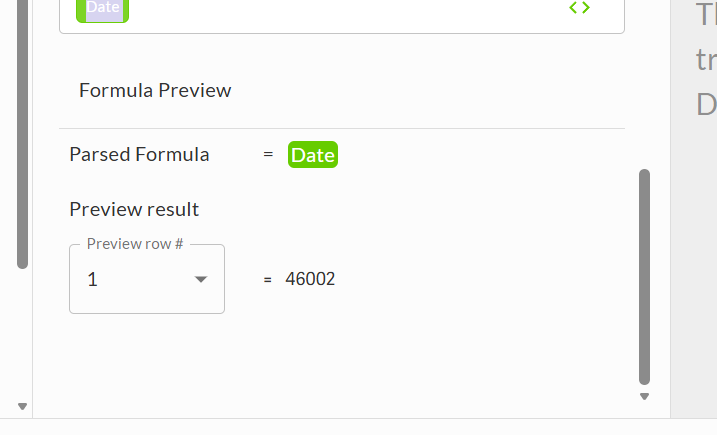
I'm trying to add a date column in my data by using pipelines. The preview result i'm getting is 46002 which is apparently an excel serial number. I have selected the below parameters including the data type and the format but it's still not showing correctly can anyone please advise?
data type - date
format - dd-mm-yyyy
formula - I have picked from the dynamic options (date)
thanks
-

Hi Chelsea,
If you wrap the "date" variable in a TEXT formula, you can convert the Excel serial number to whatever date format you need.
text({{data.system.date}},"MM-dd-yyyy")Wade
--
Wade Hays - https://towerturn.com/services/dedicated-expert 0
Thank you!! Are you able to give me a formula that will work in pipelines to get the system date and if the date is before the 20th then give me current month if the date is after the 20th then give me the following month. For example if the pipeline was run today (23rd Dec) I would want my formula to bring back January.
thanks
0
Hi Chelsea Carter,
You can update the formula to look like the below formula. The below formula will return the current month if the day is 1 to 20, or the next month if the day is 21 to 31. It does this in the section "DAY({{data.system.date}}) >= 21". If this is true, the formula adds 1 to the month.
TEXT(
    DATE(
        YEAR({{data.system.date}}),
        MONTH({{data.system.date}}) + IF(DAY({{data.system.date}}) >= 21, 1, 0),
        1
    ),
"MMMM")
Thanks,
Jeff0Iniciar sesión para dejar un comentario.
Comentarios
3 comentarios