Chain scheduler bug?
AnsweredHi community,
I've been having the following annoying issue with the chain scheduler and cannot pinpoint the root cause:
I have a chain set to run every two hours at half past:

While it runs fine most of the time, every now and then it decides to run at midnight (23:59 to be precise) instead of 00:30 and then continues every two hours from there:


Any idea what could be the reason and how to fix this? Let's assume my schedule updates are published
Thanks in advance for your help!
-
Official comment

Hello Samir,
Thank you for using the community! This appears to be something that we'll need the support and engineering teams to evaluate. Can you please open a ticket by using the Support -> Create a Ticket menu in the header. Likewise you can email support@workiva.com or call at one of the numbers listed on the support page.
Thanks!
Tony

Thanks Tony, done.
0
Interesting that I see this post as I'm researching Chain schedules. I am using schedules for the first time and have it set to run every hour. It shows in schedules as such but as each hour passes it never runs. There are no triggers associated with the chain and I've also verified the chain has been published in my dev environment. I can manually run the chain with no errors but the scheduler won't run it. I wonder if this bug pertains to my issue as well?
Thanks Tony for submitting that ticket.
0
Tony Scalese Has this issue been resolved? I am continuing to notice issues when trying to schedule chains. I often have to publish and re-publish a chain multiple times for my chain schedule to take effect. For example, I have a chain that is scheduled to run daily at 7:30AM and needs to be changed to run daily at 7:00 AM, indefinitely. The current chain schedule of 7:30AM has been working as expected for some time, however, I had the same type of issues when trying to initially configure the 7:30AM schedule.
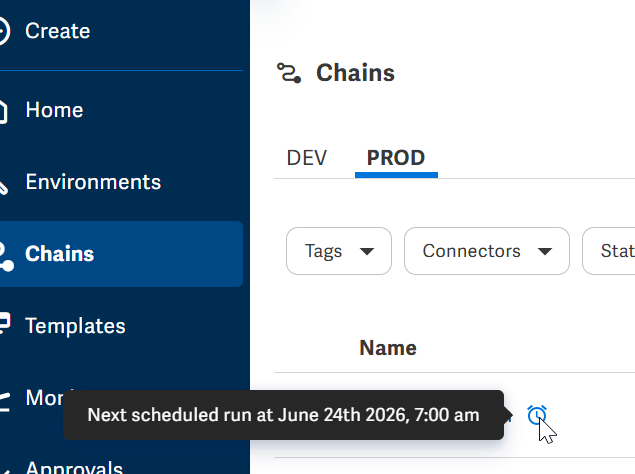
To change the schedule, I opened the chain settings, deleted the 7:30AM schedule, saved the settings, and then published the chain to ensure that there was no active schedule set for the chain. I then re-opened the chain settings and added the 7:00AM schedule, saved the settings, and then published the chain again. The next morning at 7:00 AM the chain did not run and there was no activity in the Monitor tab. As you can see in the screenshots, Wdata says that the chain is configured to run every day at 7:00AM, however, the schedule is not working as expected and does not run.
 0
0
Hi Wade Bouley. Please check the Schedules view in the left hand navigation and select the PROD environment to verify that the schedule is appearing correctly in the timeline. If it is not, verify the schedule has been published.
If the schedule appears correctly, confirm that a previous execution of the same Chain was not still running at 7:00 am. For example, if Allow concurrent runs is disabled, a new scheduled run will not succeed if a prior run has not yet completed.
If the Schedules view shows the scheduled runs correctly and a previous Chain execution is not preventing future runs (or Allow concurrent runs is enabled), I recommend contacting Support at www.workiva.com/contact/support for further troubleshooting assistance.
0Please sign in to leave a comment.
Comments
5 comments